
Key Takeaways
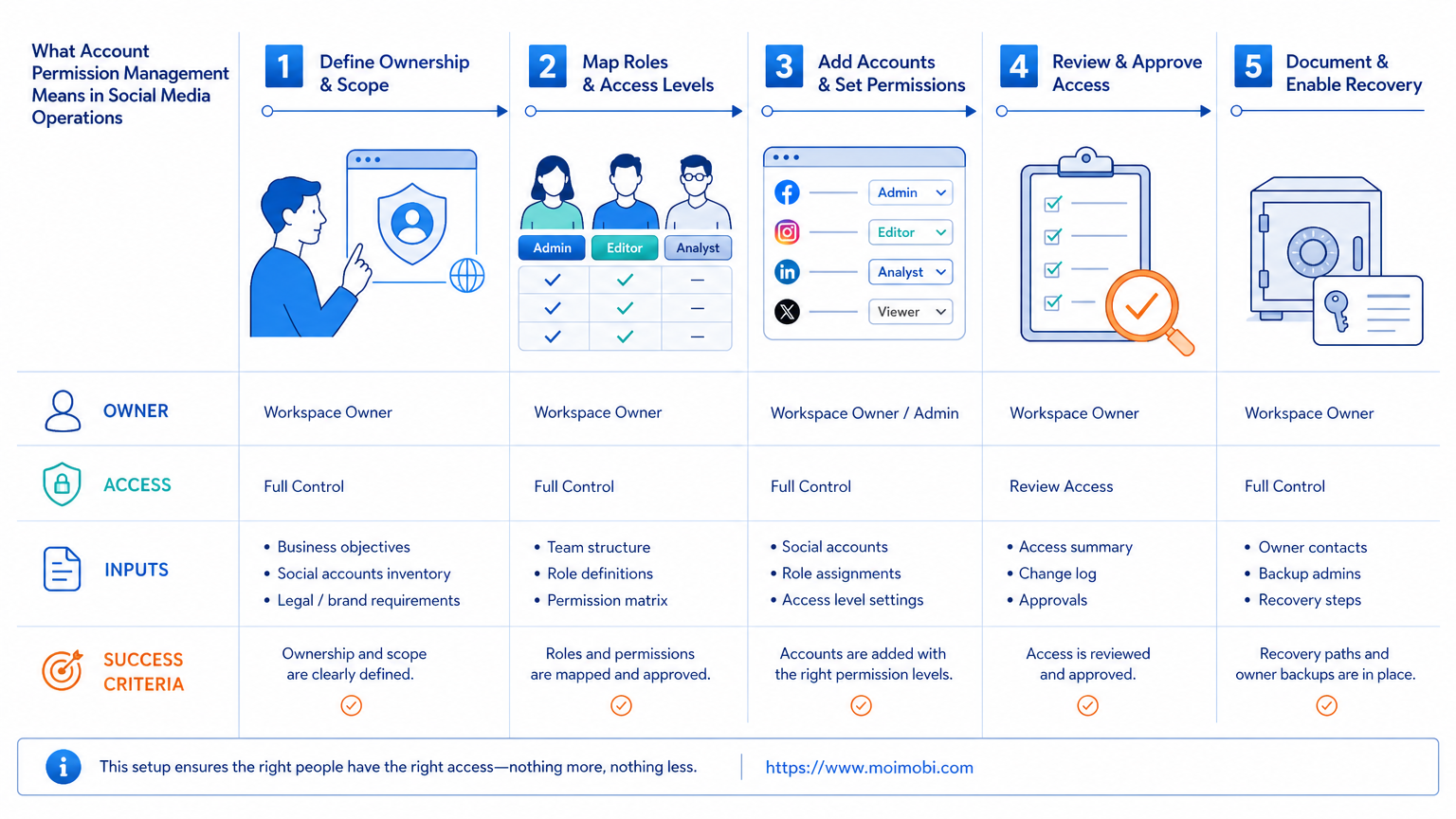
- Account permission management assigns named people to specific social media actions and account workspaces.
- Full control, content work, community replies, reporting, and recovery should not default to the same access level.
- A permission review needs an owner, a dated record, and a clear removal path for role changes.
- Start with one platform and one team, then expand after access and recovery checks are reliable.
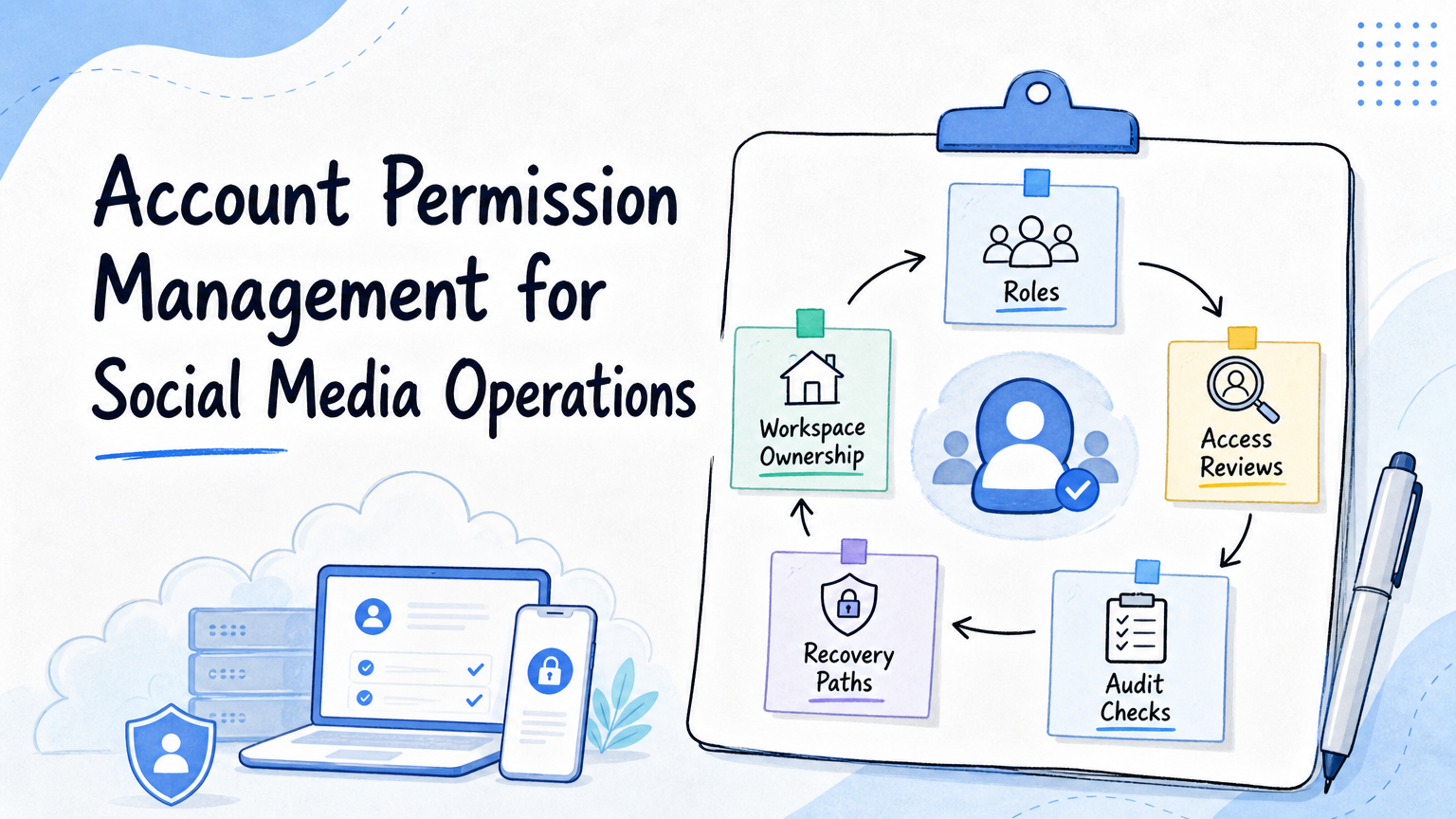
Account permission management is the practice of deciding who may view, create, publish, reply, report on, or change settings for each social media account. It turns an informal access list into an operating system for people, account workspaces, and recurring tasks.
That distinction matters because platform access is rarely one setting. Facebook, for example, distinguishes Page access levels and task access. Its official guidance explains that people with full control can manage access itself, while task access supports defined work through tools such as Meta Business Suite without allowing someone to switch into and manage the Page on Facebook. Facebook's Page access guide makes the business reason clear: permissions should match the job, not merely the person's seniority.
What Account Permission Management Means in Social Media Operations
The practice combines five facts in one place: the account, the named person or team, the permitted action, the environment used for the action, and the review date. Without all five, a team may know that someone has access but not know why, where they should work, or when the access must be reviewed.
The model is simple. Content editors need a route to prepare and hand over assets. Community operators may need message and comment work. Analysts need reporting visibility. Only a small set of accountable owners should be able to change settings, add people, or remove access. The goal is not to add friction. The goal is to make a handoff understandable when a campaign changes, a contractor leaves, or an account needs recovery.
Facebook's own access model is a useful example. It separates content, messages, community activity, ads, insights, and higher-control settings. That does not mean every platform has identical labels. It means teams should describe permissions in action language rather than using vague labels such as "admin" or "operator."
| Operating role | Typical permitted work | Should not automatically include |
|---|---|---|
| Content editor | Prepare approved assets and captions | Changing account access or linked accounts |
| Community operator | Reply to approved messages and moderate assigned conversations | Changing advertising, billing, or ownership settings |
| Campaign lead | Review publishing plans and performance records | Using another person's login as a routine shortcut |
| Account owner | Approve access changes and recovery decisions | Delegating full control without a record |
| Analyst | Read metrics and maintain reporting | Publishing or editing account settings by default |
Why Account Permission Management Prevents Operational Drift
Teams often begin with a shared inbox, one person who knows every password, and a spreadsheet that is no longer current. That can work for a short project. It becomes fragile once the team has several accounts, shifts, clients, or channels.
Operational drift appears in small ways. A departing contractor still receives notifications. A creator cannot tell which account they are assigned to. A community manager uses a personal browser session because the correct workspace is unclear. An analyst can see a result but cannot identify which operator published the related content. None of those problems is solved by adding another chat group.
Clear permissions make the workflow observable. A task can point to an assigned person and workspace. A reviewer can see whether the person had the intended role. A manager can remove or change a role without rewriting every process document. For cross-account work, multi-account management is most useful when the access map and the account map describe the same operating reality.
Account Permission Management and Execution Environments
Permissions are incomplete if they name a person but not the execution environment. A browser profile, mobile device, or assigned workspace can contain the context needed for the task. The team should record which environment is assigned to a role and avoid casually moving active work between unrelated environments.
For browser-based tasks, a device isolation approach can help teams keep assigned workspaces distinct. For a mobile-only action, a cloud phone can be the designated Android environment for that task. The environment does not grant authority by itself. It should reflect an access decision that has already been approved.
This helps with a common handoff question: "Where should I do this work?" The answer should be attached to the task. A content editor may prepare material in a shared library, while the operator uses the assigned account workspace to perform the final platform action. That separation keeps the operating record clear.
A Practical Setup Checklist
Start with an inventory, not a permission migration. List each active social account, its business purpose, its accountable owner, its associated Page or channel, and the people who currently perform work for it. Then remove vague terms and map access to actual actions.
- Name the accountable owner. This person approves role changes and knows the recovery path.
- List action groups. Use language such as publish content, manage comments, view insights, manage access, or review campaign data.
- Assign the narrowest workable role. Add access for the job that exists today, not the job someone might perform later.
- Map the workspace. Record the browser profile, mobile environment, or approved tool path used for account work.
- Set a review date. Time-bound contractor and campaign access should not rely on memory.
- Record a recovery contact. Note who can confirm ownership and change access if the normal operator is unavailable.
Facebook states that full-control Page access can add or remove other people and manage settings. That is why full control deserves a short approval trail. Its access-management instructions also make clear that access can be edited or removed, which supports a regular review rather than a permanent grant.
A Permission Matrix That Teams Can Actually Maintain
Do not build a giant matrix with every possible platform feature on day one. Use a small table that an account owner can review in a few minutes. The important fields are account name, platform, role, person, workspace, approval source, start date, review date, and status.
Add an exception field. That field captures facts such as temporary client approval, a campaign-only publishing role, or a pending ownership change. It prevents exceptions from being buried in chat history. When the exception ends, the reviewer can remove the role or convert it into a standard one.
Agencies, distributed creator teams, and support teams with recurring account handoffs and a named account owner.
A two-person team can begin with one Page or channel, one task type, and a monthly review.
A team with no named account ownership or no recovery process should resolve those basics before adding automation.
Common Mistakes to Avoid
The first mistake is granting broad access because the team is busy. Broad access may feel reversible, but it makes later reviews harder because no one remembers the original reason. Use a time-bound exception instead and include a person responsible for reviewing it.
The second mistake is treating shared credentials as permission management. A shared login cannot reliably show who performed an action. It also makes offboarding and recovery harder. Platform-supported access, named roles, and security controls provide a clearer record.
The third mistake is ignoring authentication and recovery. Facebook describes two-factor authentication as a way to protect an account and notes that unrecognized device access can require a login code or confirmation. Facebook's two-factor guidance is relevant here: teams need an approved recovery method, not an improvised request to whoever has a phone at the time.
Finally, do not make a permissions review a security-only exercise. A role may be technically acceptable but still wrong for the current campaign. Review whether the person has a real task, whether the assigned workspace is still correct, and whether the account owner can explain the purpose of the access.
Pilot Rollout, Measurement, and Recovery Checks
Pilot the model with one social platform and a small group of accounts. Ask each account owner to review the list of people, roles, environments, and recovery contacts. The first pilot is successful when the team can answer basic questions quickly, not when it produces the largest spreadsheet.
Measure three things during the pilot. First, count roles with a named business purpose. Second, track how many access requests or handoffs lack a workspace assignment. Third, record how long it takes to remove access after a role change. Those measurements reveal whether the process is clear enough to expand.
Recovery checks are equally practical. Confirm that a full-control owner exists, two-factor or the relevant security control has an approved recovery route, and the team knows who may request a change. Facebook's account-recovery guidance recommends using a device previously used to log in when an account may have been compromised, which reinforces the value of stable, recorded operating environments. Facebook's recovery guidance should be treated as platform guidance, not as an excuse to bypass its security process.
Handling Role Changes, Leaves, and Client Handoffs
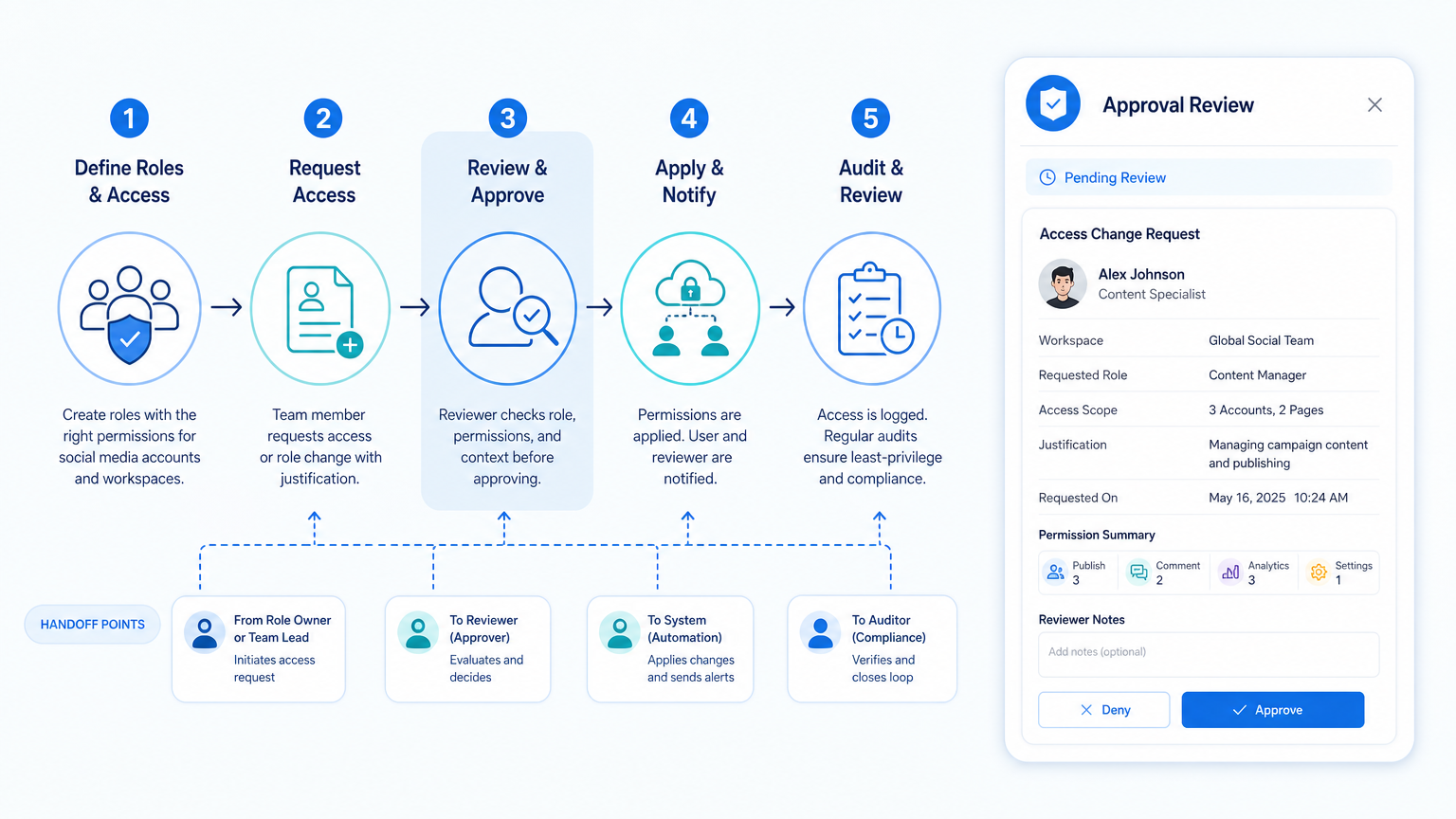
Permission management is tested most clearly when someone changes roles. A planned handoff should begin before the person loses access. The outgoing owner lists open tasks, active workspaces, scheduled content, unresolved messages, and pending approvals. The incoming owner confirms which actions they need and which actions should stay with the original account owner.
Use a short change record for every meaningful access update. It should state the reason, the effective date, the person approving it, and whether old access was removed. This keeps a campaign move or contractor exit from becoming an emergency recovery event. A record also helps a client-facing agency show exactly how account responsibility changed without sharing credentials.
Do a final review after the handoff. Confirm that the new operator can complete the assigned task in the approved workspace, that the previous role is no longer active where it should not be, and that the recovery contact remains correct. If the handoff exposes missing ownership or unclear permissions, pause expansion until those facts are corrected.
For recurring client work, treat the end of a contract or campaign as a preset review trigger. The account owner should decide whether to remove access, change it to reporting-only access, or extend it with a new review date. That simple stop point keeps old permissions from accumulating without a business purpose.
Keep the review record with the account, not in a personal notebook. The next account owner needs the same facts: who approved the role, what the role permits, when it expires, and where the work is performed. That small discipline makes permissions easier to audit during ordinary operations and during a recovery event.
It also gives finance, legal, support, and client stakeholders a factual handoff record when they need to confirm who owned an action and why.
Frequently Asked Questions
Is account permission management only for large agencies?
No. A small team benefits when more than one person handles content, replies, reporting, or account recovery. Start with a single account and simple role list.
How often should permissions be reviewed?
Review after staff, contractor, campaign, or account-ownership changes. A scheduled monthly or quarterly check is also useful for active teams.
Should every operator receive full control?
No. Give the lowest level that lets the operator complete the assigned work. Full control should have a clear business reason and a named reviewer.
What belongs in an access-change record?
Record the account, person, role, requested action, approving owner, date, workspace, and review or end date.
Does a cloud phone replace platform permissions?
No. A cloud phone is an execution environment. It does not decide who is allowed to publish, manage settings, or change access.
What should happen when a contractor leaves?
Remove or expire their access, confirm the task handoff, review the assigned workspace, and verify that no recovery path depends on their personal device.
Which signal shows the model is working?
The team can identify the owner, allowed action, workspace, and review date for an account without asking around or checking a shared password list.
Conclusion
Account Permission Management for Social Media Operations is a practical control for team continuity. Start with named ownership, narrow roles, assigned workspaces, and a review date. Then test the process with one platform before extending it to more accounts. The useful outcome is not a more complicated policy. It is a team that can see who may do what, where they should do it, and how to recover when responsibility changes.



