
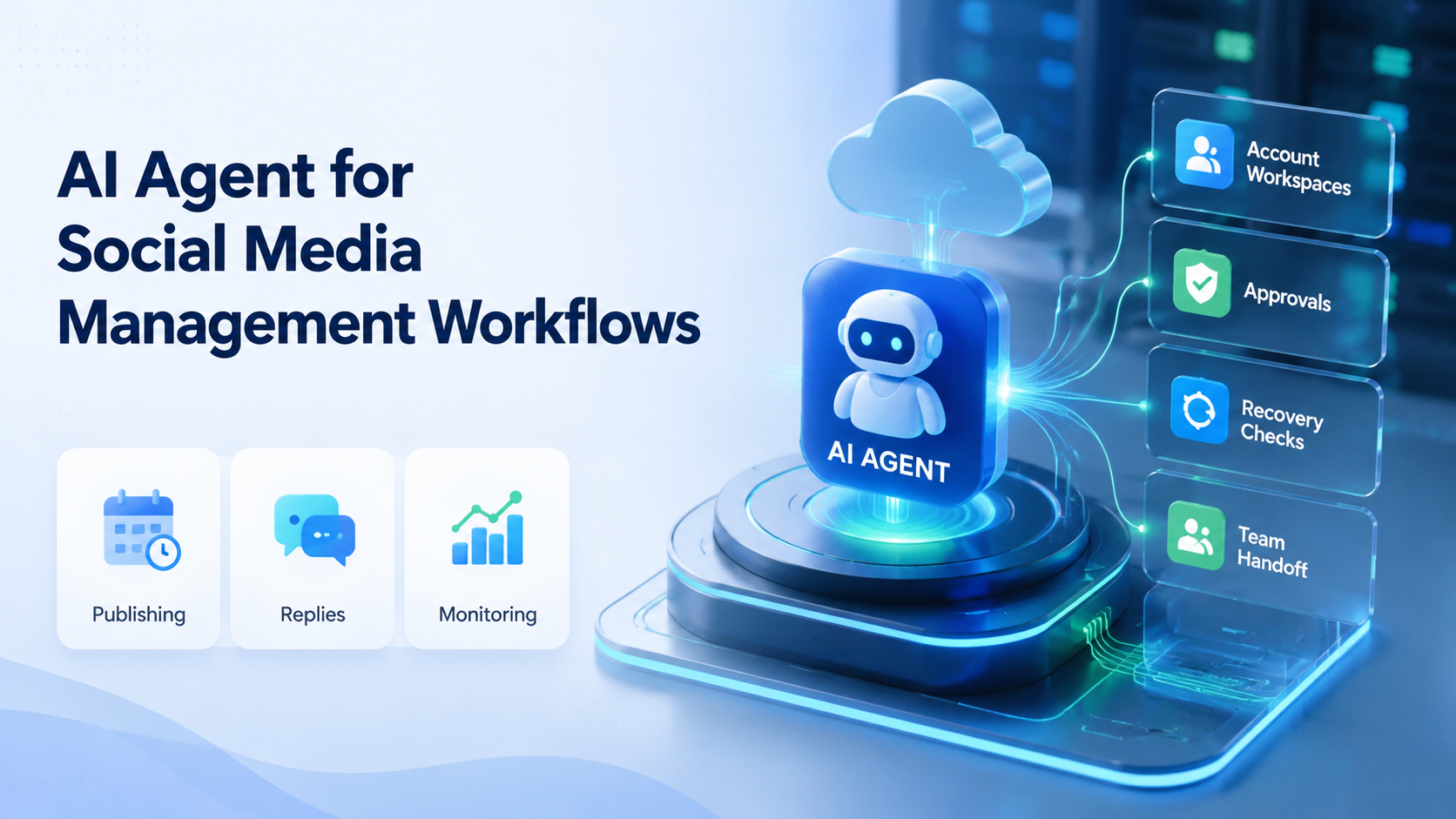
An AI agent for social media management is software that helps teams plan, prepare, execute, and review repeatable social media tasks. It should not be treated as a magic replacement for operators. The practical value comes from connecting AI planning with account workspaces, review gates, and execution records.
Social media work is not one task. A team may need content ideas, captions, video scheduling, inbox triage, comment replies, competitor monitoring, and campaign reporting. This workflow becomes useful when it coordinates those steps and knows when to stop for human review.
For Moimobi, the agent belongs inside an execution stack. AI prepares and guides work. Mobile automation, browser workspaces, and cloud phone environments handle the account-specific execution layer.
Key Takeaways
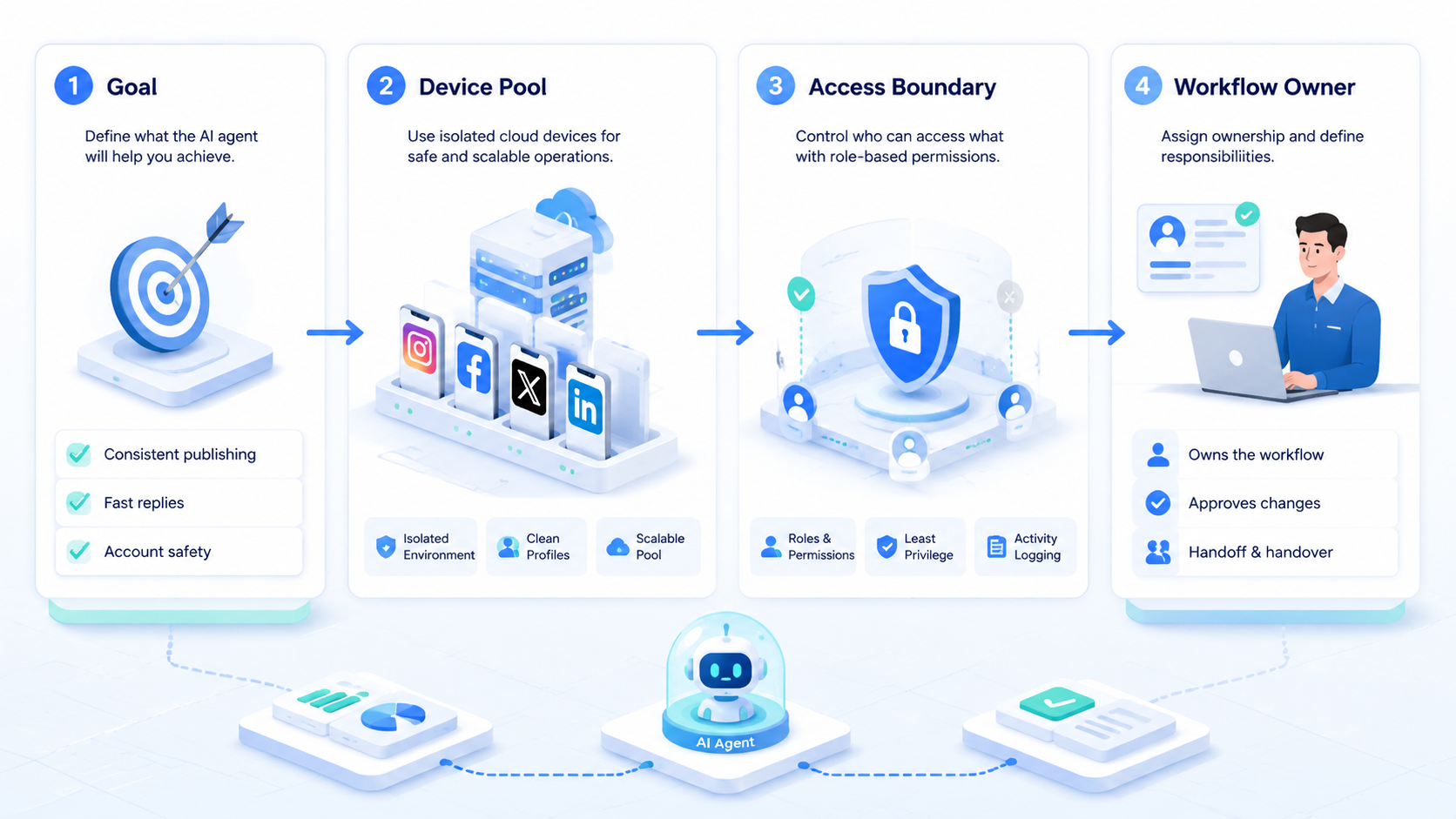
- An AI agent for social media management should manage workflow state, not only generate captions.
- Teams need account mapping, approval gates, and recovery logs before scaling agent actions.
- Browser and mobile environments matter because social work often crosses dashboards and apps.
- Start with one workflow, measure failed steps, then expand only after the team can explain outcomes.
What Is AI Agent for Social Media Management Workflows?
An AI agent for social media management is a workflow assistant that can interpret a task, use context, prepare the next step, and hand work to the right execution environment. The simplest use case is content support. The stronger use case is task coordination.
In daily use, the system may draft a caption, summarize comments, classify inbox messages, or prepare a publishing checklist. In an operations team, it also needs account context. A reply for one brand account may not fit another account, even when the customer question looks similar.
Platform workflows differ. TikTok documents official content posting paths in its Content Posting API, including direct post, upload, and post status concepts. Browser automation also has formal isolation patterns. Playwright's browser context documentation describes separated cookies and local storage per context.
Those sources point to the same operational lesson: execution needs context. A social media agent should know the account, task type, platform, approval state, and environment before it acts.
Why AI Agent for Social Media Management Workflows Matters
The main pressure is coordination. Social teams do not only need more text. They need reliable movement from idea to approved content, from approved content to publishing, and from publishing to monitoring.
Without a workflow layer, AI output becomes another inbox. A marketer asks for captions, copies them somewhere else, checks assets manually, logs into accounts, posts, then remembers to review replies later. A well-designed agent reduces that switching.
The second pressure is account scale. A small team may manage TikTok, Instagram, Facebook, YouTube, and messaging channels. A single action can affect a brand account, a regional account, or a client account. That makes multi-account management part of the agent design.
Policy boundaries also matter. Meta's Inauthentic Behavior policy describes deceptive account and identity behavior as a platform concern. A serious social workflow should therefore emphasize authentic operations, account ownership, and review controls instead of fake engagement or volume-only actions.
Key Benefits and Use Cases
The strongest benefit is workflow memory. A task-aware system can remember whether work is draft, reviewed, approved, scheduled, executed, failed, repaired, or monitored. That gives managers a clearer view than scattered chats and spreadsheets.
The second benefit is faster preparation. AI can prepare outlines, captions, reply drafts, monitoring summaries, and campaign briefs. Human operators still decide what is suitable for the brand.
The third benefit is cleaner handoff. One person may plan content, another may publish, and another may monitor replies. Shared task context can move between those roles.
| Workflow | Agent role | Human control point |
|---|---|---|
| Content publishing | Draft captions and check readiness | Approve final copy and account |
| Comment replies | Classify comments and draft responses | Review sensitive replies |
| Inbox triage | Group messages by intent | Escalate sales, refund, or complaint cases |
| Monitoring | Summarize competitor and campaign changes | Decide next campaign action |
| Reporting | Collect results and failed steps | Interpret business meaning |
This is where social media marketing becomes an operations problem. The output is not only a post. The output is a repeatable workflow.
How to Get Started with AI Agent for Social Media Management Workflows
Start with one narrow workflow. A broad "manage social media" goal is too vague. Choose one repeatable task, such as comment triage, content preparation, or post-publish monitoring.
Use this sequence:
- Define the task boundary. Decide what the agent may prepare, execute, and escalate.
- Map accounts. Assign each social account to an owner, platform, and workspace.
- Create approval rules. Mark which drafts, replies, and actions need human review.
- Choose the execution path. Use browser, API, cloud phone, or manual review based on the task.
- Log outcomes. Track completed tasks, failed steps, and repair notes.
- Review weekly. Improve prompts, workflows, and escalation rules from real failures.
For app-first work, a cloud phone gives teams a mobile environment that can be mapped to a specific account workflow. For browser dashboards, profile isolation and session control are more relevant.
Common Mistakes to Avoid
The first mistake is treating the agent as a posting machine. Posting is only one part of social media operations. Teams also need planning, approval, execution, monitoring, and recovery.
The second mistake is skipping account ownership. If an agent can prepare tasks for many accounts, each task still needs a clear account lane. Without that lane, operators can publish from the wrong workspace or reply with the wrong brand voice.
Avoid these patterns:
- Letting the agent publish before approval.
- Reusing the same reply style across unrelated accounts.
- Running tasks without account-specific logs.
- Ignoring app prompts or login issues.
- Measuring only action volume.
- Mixing browser and mobile tasks without a shared record.
A safer workflow uses stop rules. Pause when the agent sees a sensitive complaint, an unclear account state, a login prompt, missing media, or a task outside the approved scope.
Who It Fits and When It Is a Strong Match
This approach fits teams with recurring social work and multiple operators. It is less useful for a solo creator who posts manually from one phone and does not need handoff records.
Strong fit
- Agencies managing client social accounts.
- E-commerce teams running product campaigns across platforms.
- Support teams handling comments, DMs, and inbox triage.
- Cross-border teams separating accounts by region or language.
Weak fit
- One person posting to one account.
- Teams without approval rules.
- Workflows built around fake engagement or spam behavior.
- Teams that cannot define account ownership.
The fit becomes stronger when browser and mobile work must stay connected. A social media team may review comments in a dashboard, check a mobile app, and then update a campaign report. The agent should see those steps as one workflow.
For app-heavy teams, device isolation helps keep account environments clearer. It does not replace policy judgment, but it reduces operational confusion.
Pilot Rollout, Measurement, and Recovery Checks
The common misunderstanding is that a pilot should prove the agent can do everything. A better pilot proves that one workflow is repeatable, reviewable, and repairable.
Choose a small account group. For example, run comment triage for five accounts for one week. Do not mix publishing, replies, monitoring, and reporting in the first test.
Track operational signals:
- task completion rate;
- number of human review escalations;
- reply drafts accepted without major edits;
- failed tasks by reason;
- wrong-account or wrong-workspace incidents;
- time from failure to recovery;
- post-task monitoring completion.
Recovery checks are the most useful learning point. When a task fails, the record should show the account, environment, step, owner, and next action. If the team cannot explain failures, scaling the agent will only create more unclear work.
After the pilot, decide what to automate next. Expand only after the team can describe the workflow, approval points, and stop rules in plain language.
Governance Fields Every Social Media Agent Needs
A social media agent becomes easier to trust when every task carries a few required fields. These fields do not need to be complicated. They only need to make ownership and status visible.
Use a simple task record:
| Field | Why it matters |
|---|---|
| Account | Prevents cross-account confusion. |
| Platform | Separates TikTok, Instagram, Facebook, and other workflows. |
| Task type | Shows whether the work is publishing, reply, monitoring, or reporting. |
| Approval state | Stops drafts from becoming live actions too early. |
| Environment | Connects the task to a browser profile or mobile workspace. |
| Owner | Gives one person responsibility for the next step. |
| Recovery note | Explains what to do if the task fails. |
This record is more useful than a long prompt library. Prompts help the agent produce better outputs. Task fields help the team run work without guessing.
Governance also protects brand voice. A reply draft may be accurate but too direct for one client. A caption may be creative but unsuitable for a regulated product category. The agent should prepare options, while the team defines which actions need approval.
For multi-account teams, the environment field is especially important. A task should not only say "reply to comments." It should say which account, which workspace, which platform, and which review rule applies. That is the difference between a useful workflow and a risky queue.
How Browser and Mobile Execution Change the Agent Design
An agent that only writes text can work inside a content tool. A social operations agent needs execution context. It may need to open a dashboard, review account status, prepare a mobile task, or summarize post results.
Browser work and mobile work should be assigned deliberately. Browser environments fit analytics dashboards, web inboxes, social management tools, exports, and client reporting. Mobile environments fit app-first checks, mobile media handling, and account routines that depend on app state.
Routing should not be decided from scratch each time. Build a rule:
- dashboard or report tasks go to a browser workspace;
- app state or mobile upload checks go to a cloud phone;
- sensitive replies go to human review;
- unclear login prompts pause the task;
- failed execution writes a recovery note before retry.
This routing rule keeps the agent from becoming unpredictable. It also helps managers audit the workflow later. When a task fails, the team can identify whether the issue came from the content, the account, the environment, or the approval step.
The best next improvement is usually not a smarter prompt. It is a clearer route, a better task record, or a stronger stop condition.
Frequently Asked Questions
What does an AI agent do in social media management?
It prepares, coordinates, and reviews repeatable tasks such as captions, replies, monitoring, scheduling, and reporting.
Can an agent publish posts automatically?
It may support publishing workflows, but teams should use approval gates and platform-supported execution paths.
Is this only for large teams?
No, but the value grows when teams manage several accounts, channels, or operators.
What should teams automate first?
Start with low-risk preparation tasks: content briefs, comment classification, reply drafts, and monitoring summaries.
How does Moimobi fit the workflow?
Moimobi provides execution environments for browser and mobile tasks, including cloud phones and account workspaces.
What is the biggest risk?
The biggest risk is unclear control: no account owner, no approval rule, and no recovery log.
How should teams measure success?
Measure completed workflows, repair time, escalation quality, and account-environment accuracy.
Conclusion
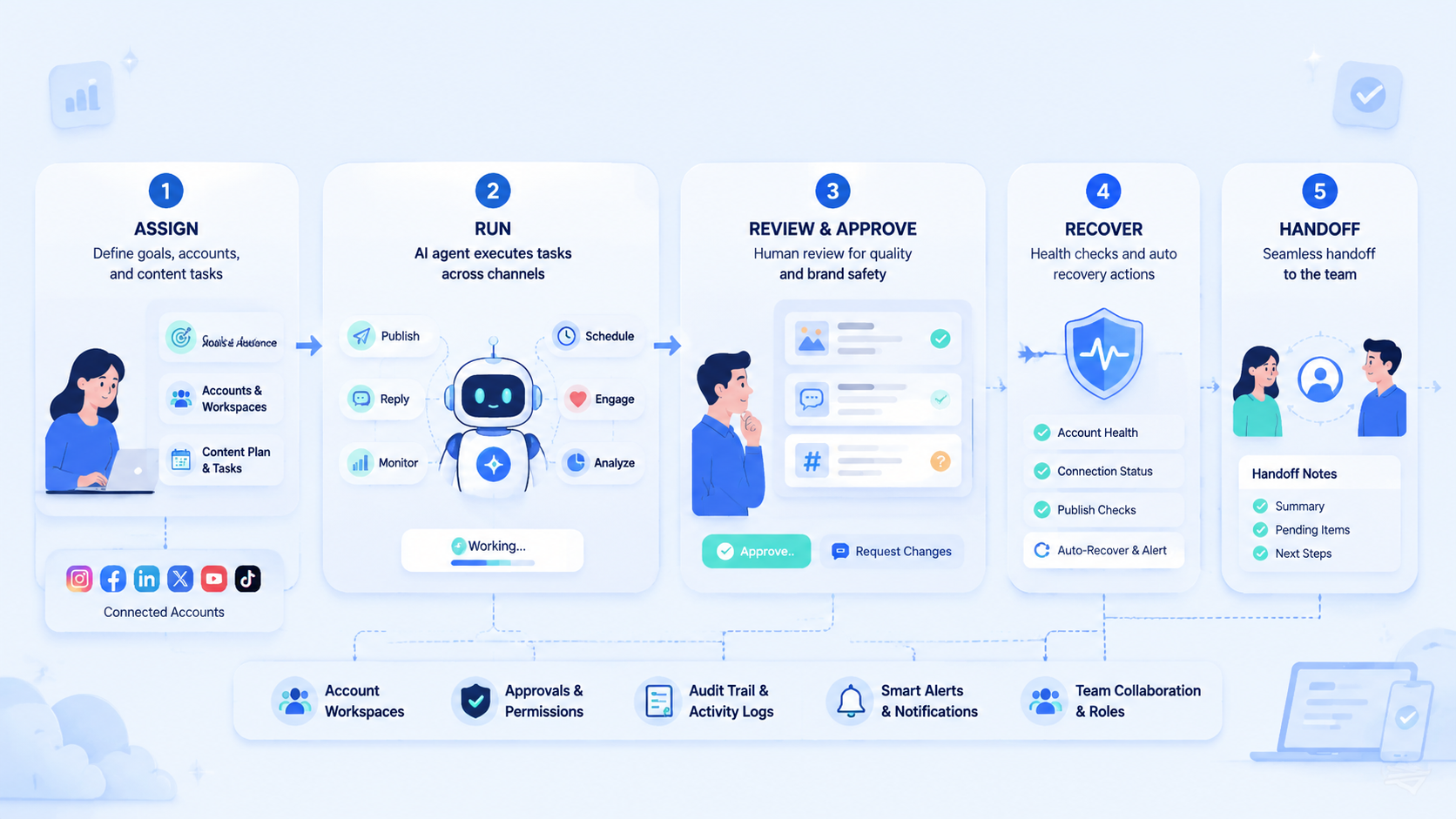
Prioritize control before scale. A useful AI agent for social media management needs account mapping, approval rules, execution environments, and recovery checks.
Start with one repeatable workflow. Map the accounts. Define stop rules. Measure failures. Then expand to more tasks only after the team can explain what happened in every run.



