
Content Type: comparison
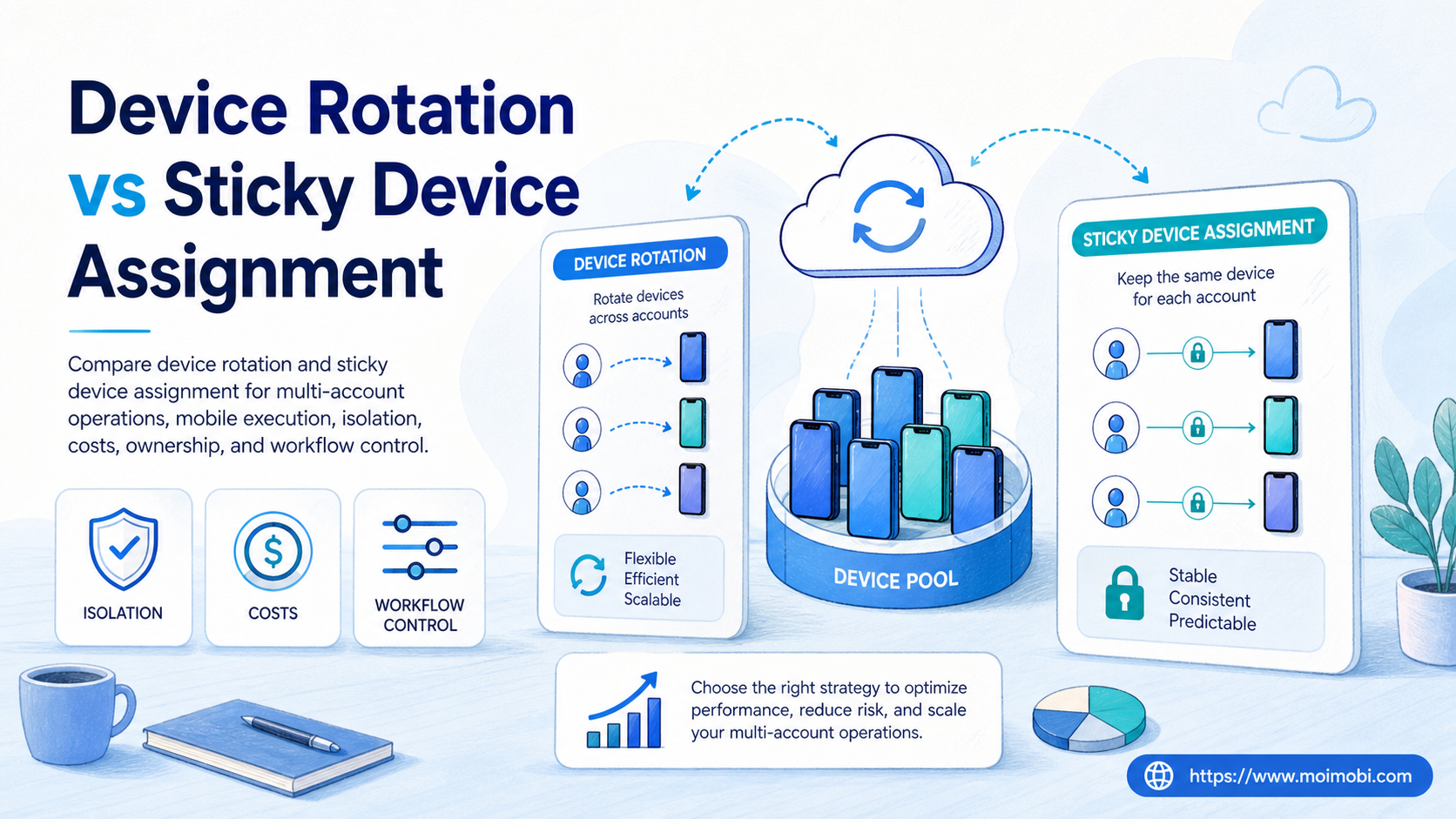
Device rotation means changing the device environment assigned to an account or task over time. Sticky device assignment means keeping the same account, operator, workflow, and mobile environment tied together unless there is a clear reason to change.
For most operating teams, sticky assignment is the better default. Device rotation can still be useful for testing, recovery planning, temporary capacity, and controlled experiments. It becomes risky when teams use it as a shortcut for unclear account ownership or weak workflow design.
The practical question is not whether one model is universally better. The better question is which model gives your team clearer records, lower handoff friction, and more predictable execution. In a cloud phone workflow, that usually means starting sticky, then adding rotation only where the operating case is explicit.
Key Takeaways
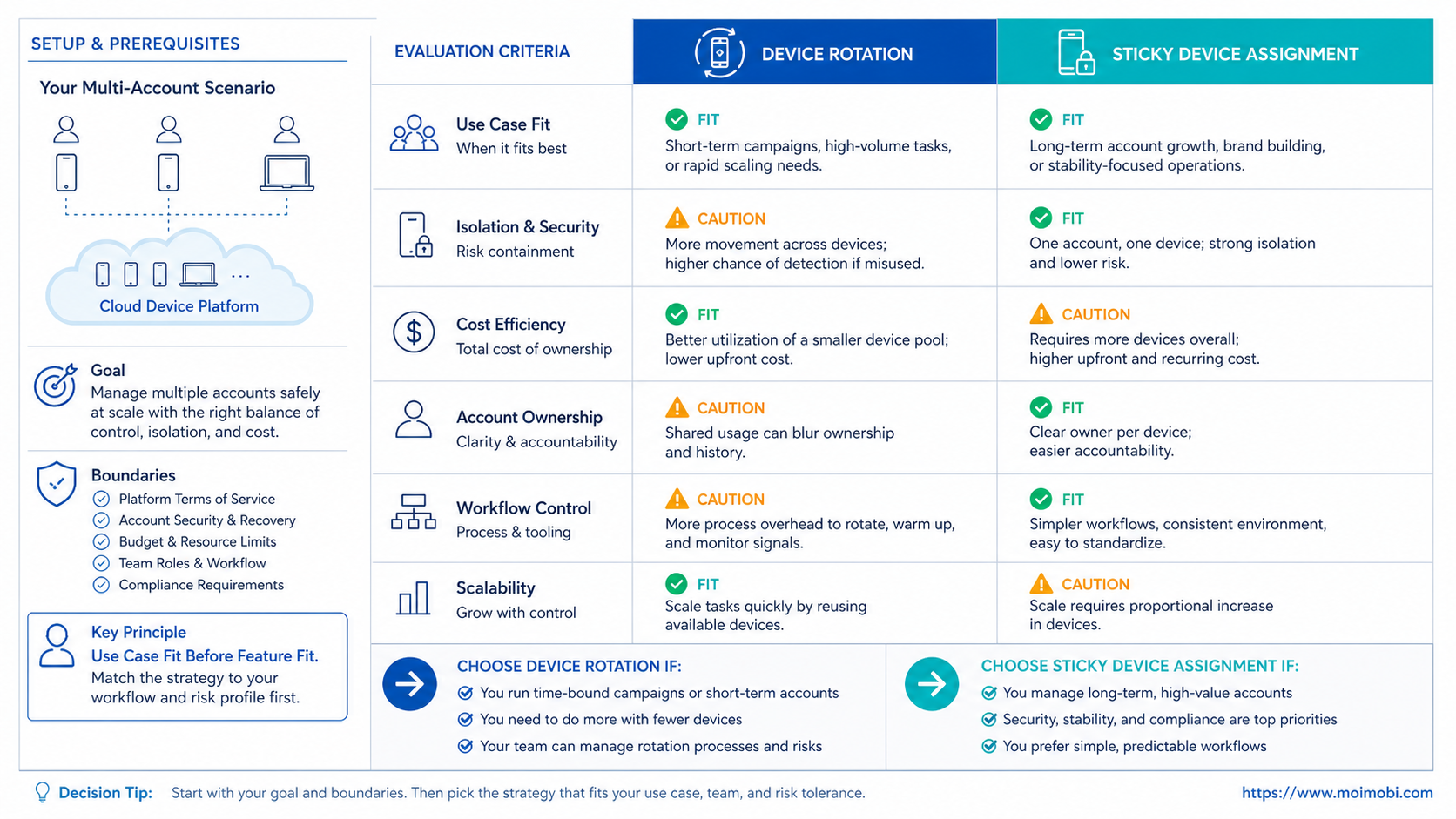
- Sticky device assignment is usually easier to audit because each account keeps a stable environment and owner.
- Rotation policies fit testing, overflow capacity, and controlled recovery, but they add tracking overhead.
- The decision should be based on account role, task type, operator handoff, and review logs.
- Teams should pilot both models with a small account group before scaling automation.
- Device isolation matters more than frequent switching when the goal is long-running multi-account operations.
A Practical Comparison Framework for device rotation
The common misunderstanding is that rotation solves account operations by itself. It does not. Rotation only changes which device environment is used. It does not automatically create cleaner routing, better permissions, stronger review, or better execution records.
Sticky assignment starts from a different assumption. It treats each account as a small operating workspace. The same account stays tied to the same device profile, team owner, task history, and review trail. This is easier to explain during daily operations because the team can ask one simple question: what happened inside this account environment?
Rotating environments can be useful when a team needs controlled variability. For example, a QA team may test how a mobile workflow behaves across several Android environments. A social operations team may also keep backup environments for recovery drills. Those cases are different from rotating devices casually across live accounts.
Official mobile management patterns also point toward clear device identity and management state. Android Enterprise explains managed Android as a business device and app management framework, while Microsoft Intune describes device management as a way to manage devices, apps, and access in an organization. Those references do not decide your workflow model, but they support the operational idea that device state should be controlled, not improvised. See Android Enterprise and Microsoft Intune device management.
| Criterion | Rotating assignment | Sticky device assignment |
|---|---|---|
| Account continuity | More handoff work | Clearer ownership |
| Audit trail | Needs stronger logging | Easier to review |
| Testing coverage | Better for variation | Better for repeatability |
| Team training | Requires stricter SOPs | Easier to teach |
| Failure review | More variables to inspect | Fewer moving parts |
The useful rule is simple. Use sticky assignment for live account operations. Use rotation only when the workflow has a named reason, a stop rule, and a record of what changed.
Use Case Fit Before Feature Fit and device rotation
Feature lists can make rotation look more flexible than it feels in daily work. The real fit depends on the account job. A content publishing account, a customer reply account, a test account, and a backup account do not need the same device policy.
A publishing account usually benefits from sticky assignment. The team needs the same environment, content queue, operator handoff, and approval record. If the account moves between devices too often, the review trail becomes harder to read. The team may spend more time explaining state changes than improving the workflow.
A testing account is different. It may need to run across multiple device environments to validate an app flow, a login flow, or a mobile task sequence. AWS Device Farm describes device testing as running tests on real mobile devices, which is a useful reference point for why rotation can help test coverage. See AWS Device Farm documentation.
Use case fit should come before provider selection. A team evaluating device isolation for account operations should define which accounts need continuity and which accounts need controlled variation. Without that split, both models can create confusion.
| Account type | Better starting model | Why |
|---|---|---|
| Live publishing account | Sticky assignment | Keeps content, approvals, and environment together |
| Customer reply account | Sticky assignment | Makes handoff and conversation review easier |
| QA or sandbox account | Rotating assignment | Tests the workflow across more environments |
| Backup capacity account | Controlled rotation | Helps with overflow or recovery |
| New experiment account | Sticky first, then rotate | Establishes baseline before variation |
The mistake is choosing rotation because it sounds advanced. Choose it only when the account role needs variation. Otherwise, sticky assignment gives the team a cleaner operating baseline.
Operational Trade-Offs and Team Workflow
Operationally, rotation adds one extra question to every incident review: was the issue caused by the task, the account, the operator, the network path, or the device change? That question is manageable when the team has strong records. It becomes expensive when records are thin.
Sticky assignment reduces that ambiguity. When each account keeps its own workspace, a manager can inspect the same account history, same device environment, same workflow version, and same owner. This model is not magic. It simply reduces the number of variables during review.
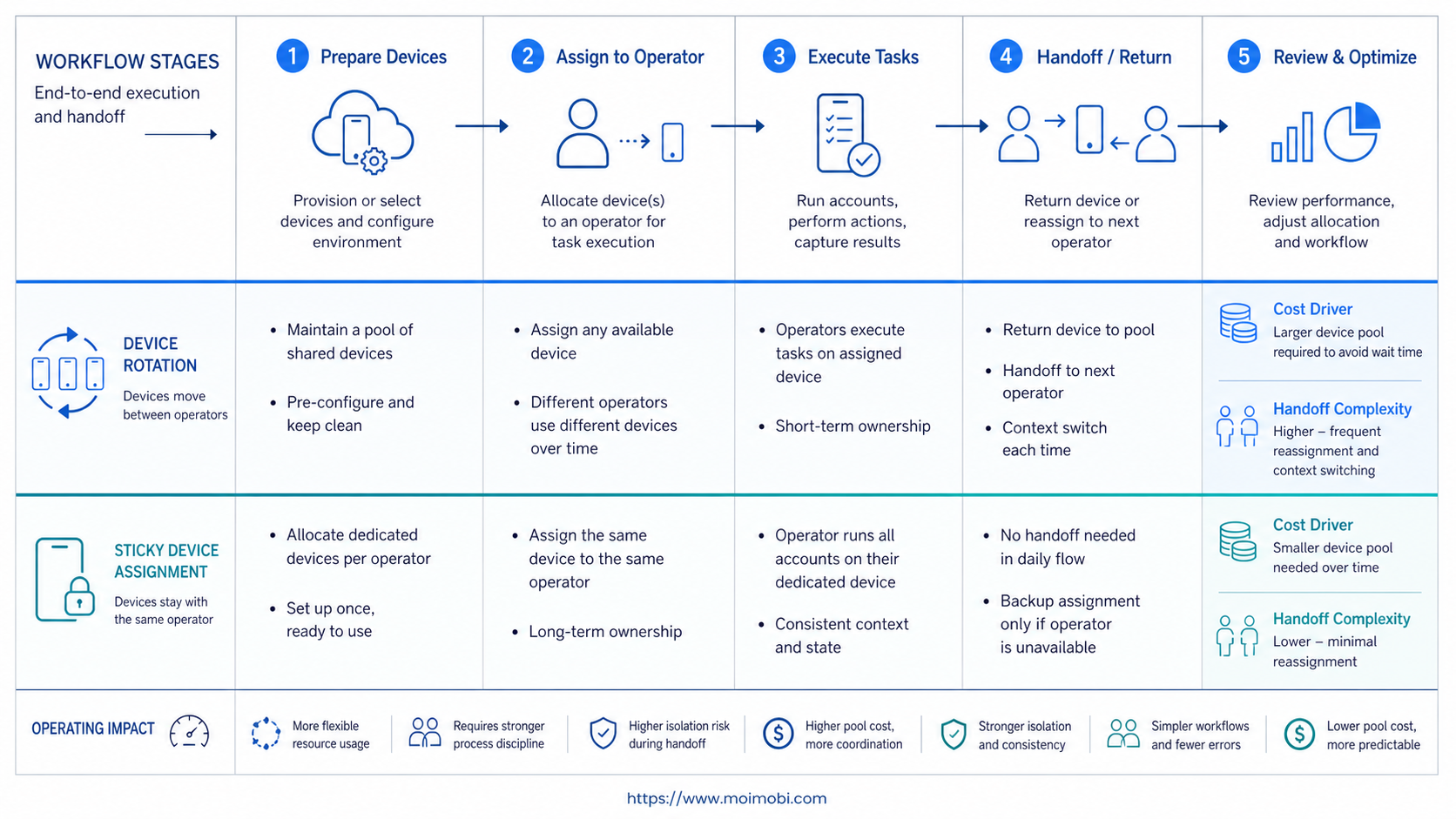
Rotation also changes how teams write SOPs. A sticky SOP can say, "Account A runs on Environment A, follows Queue A, and is reviewed by Owner A." A rotation SOP needs a device assignment log, rotation reason, time window, rollback path, and exception record. That extra structure is not bad, but it must be intentional.
MoiMobi is built around execution environments rather than loose task scripts. Teams can connect browser and mobile workflows, keep account spaces separated, and manage execution from a controlled system. For workflows that mix mobile execution and account ownership, task controls for Android workflows are usually more useful than ad hoc device switching.
What not to do
- Do not rotate live accounts only because a device is available.
- Do not use one shared device pool without assignment records.
- Do not let operators manually swap environments without review.
- Do not treat device spoofing as a substitute for workflow design.
- Do not scale rotation before a small pilot proves it is understandable.
The more accounts you run, the more important the operating record becomes. Rotation can scale only when the record scales with it.
Setup Cost, Ongoing Cost, and Management Overhead
Setup cost is not only the monthly price of devices. It also includes account mapping, environment naming, permission rules, proxy routing, task queues, and review ownership. Sticky assignment usually costs more upfront planning but less daily explanation.
A rotating pool can look cheaper when teams count only device utilization. One device pool can serve more temporary tasks. But the management overhead moves into scheduling, audit logs, error diagnosis, and handoff rules. The cost is still there; it is just less visible.
For buyer evaluation, separate the cost into three buckets. First, the execution environment cost. Second, the team coordination cost. Third, the cost of failed or unclear tasks. A cheap device policy can become expensive if every exception requires manual reconstruction.
| Cost area | Sticky assignment | Rotating assignment |
|---|---|---|
| Initial setup | Higher mapping work | Lower if pooled loosely |
| Daily operation | Cleaner ownership | More scheduling rules |
| Incident review | Fewer variables | Needs detailed change logs |
| Team training | Simple account-to-environment rule | Requires rotation policy training |
Teams that need a product-specific environment can evaluate mobile workspace infrastructure separately from the assignment model. The platform provides the execution layer. The assignment policy decides how your team uses it.
Which Option Fits Different Teams Best
Sticky assignment fits teams that need repeatability more than device variation. This includes social media teams, customer support operators, ecommerce account teams, and agencies that must explain who did what, from which environment, and under which workflow.
Rotation fits teams with controlled testing needs. It also fits teams that run temporary tasks, backup capacity, or staged workflow validation. The key word is controlled. Rotation without a policy is only extra movement.
Best fit: sticky device assignment
- You run live customer or social accounts.
- You need account-level history and handoff.
- Operators work in shifts.
- Tasks repeat daily or weekly.
- Review quality matters more than device utilization.
Best fit: controlled rotation
- You need test coverage across several Android environments.
- You operate sandbox accounts.
- You have backup or overflow device capacity.
- Every rotation has a reason and owner.
- Your logs can show what changed and when.
For multi-account teams, the cleanest model is often hybrid. Use sticky assignment for production accounts. Keep a smaller rotation pool for testing, recovery, and temporary load. If the same team also manages web profiles, browser and mobile profile pairing can keep browser-side and mobile-side decisions aligned.
Pilot Checklist Before Scaling
Start with a small pilot group before choosing a company-wide device policy. Pick five to ten accounts with different roles. Include one publishing account, one support account, one test account, one backup account, and one low-risk experiment account.
Track the pilot with fields the team can actually maintain. Record account ID, environment ID, owner, task type, assignment model, rotation reason, workflow version, success state, failure state, and review notes. If the team cannot keep those fields current during a small pilot, rotation will not become clearer at scale.
Use this review loop:
- Run sticky assignment for the live accounts first.
- Run controlled rotation only on sandbox or backup accounts.
- Compare task completion, review time, handoff confusion, and exception count.
- Freeze the model that creates fewer unclear events.
- Document stop rules before expanding to more accounts.
The final decision should be based on operational clarity. If rotation gives you more capacity but doubles review time, it may not be the right default. If sticky assignment wastes too many idle environments, a limited rotation pool may be worth testing.
Frequently Asked Questions
What is device rotation?
Device rotation is the practice of changing which device environment handles an account or task. It can support testing and backup workflows, but it needs clear records.
What is sticky device assignment?
Sticky assignment keeps one account tied to a consistent device environment. Teams use it to simplify ownership, review, and repeated execution.
Is rotation better for multi-account teams?
Not by default. Multi-account teams usually need clean assignment before they need frequent movement. Rotation fits only specific workflows.
Does sticky assignment mean no flexibility?
No. It means the default is stable. Teams can still move an account when there is a documented reason.
How should teams test a rotation policy?
Use sandbox accounts first. Track rotation reason, environment ID, owner, task type, and failure notes.
Does device isolation replace assignment rules?
No. Device isolation separates environments. Assignment rules decide which account uses which environment and when.
What is the biggest operational risk with rotation?
The main risk is unclear review. If the team cannot tell what changed, troubleshooting becomes slower.
When should a team use a hybrid model?
Use hybrid when production accounts need continuity but test accounts need variation. Keep the rotation pool smaller than the sticky account pool.
Conclusion
Rotation is useful when a workflow needs controlled variation. Sticky device assignment is usually the cleaner default for live multi-account operations because it keeps account history, owner, environment, and review records together.
The next step is not to choose the most flexible model on paper. Map each account role, choose sticky assignment for production work, and run rotation only where the pilot proves it improves execution without adding too much review overhead.



