
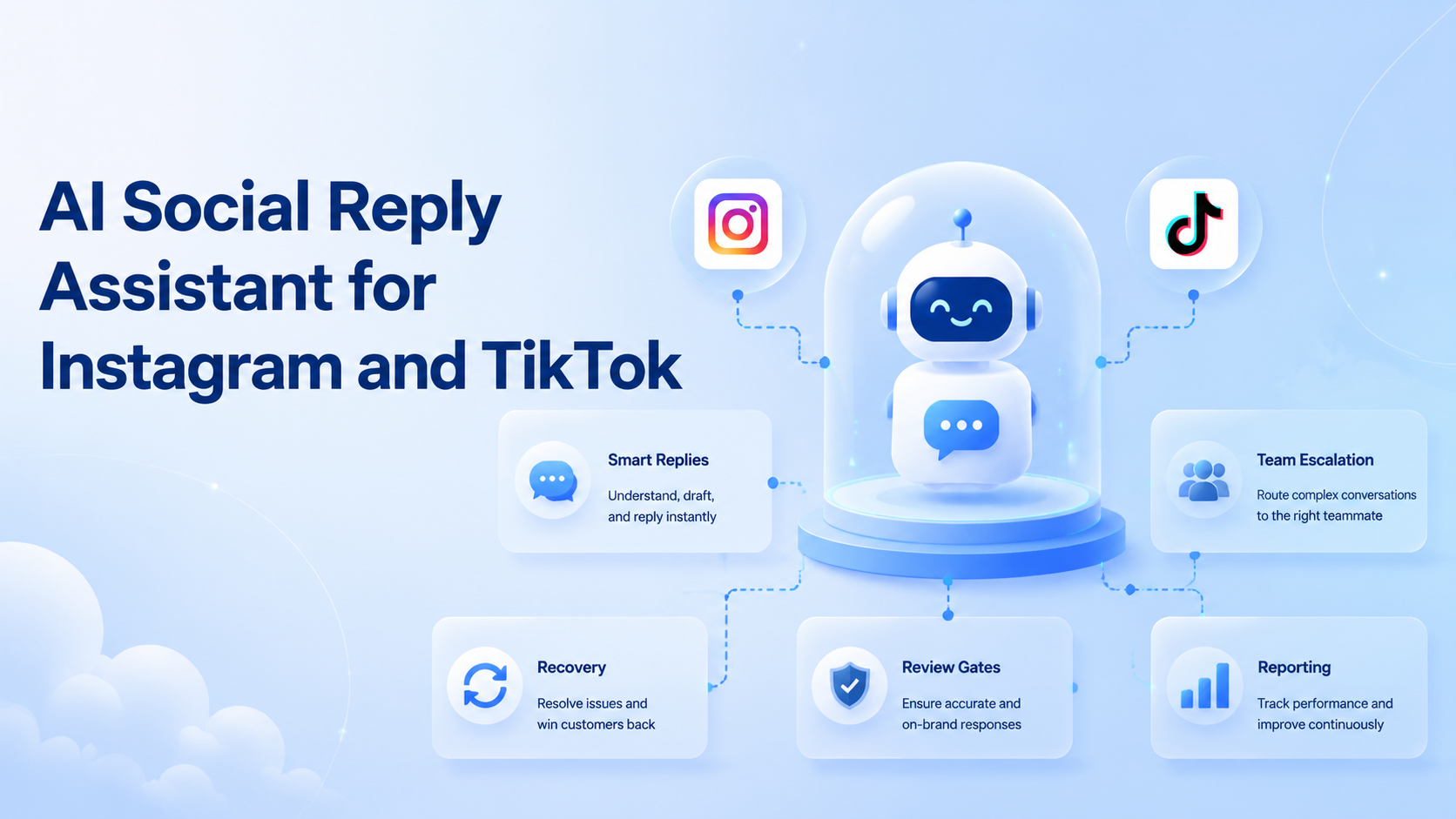
An AI social reply assistant is software that helps teams classify comments, draft replies, route messages, and record follow-up tasks. For Instagram and TikTok, the useful goal is not instant mass replies. The useful goal is faster response preparation with account context and human review.
Social replies are business operations. A comment may be a product question, complaint, spam message, shipping issue, creator inquiry, or sales lead. The assistant should help the team sort and prepare work without hiding risk.
Moimobi connects reply workflows with mobile automation, browser workspaces, and account-based execution environments. That matters when one team manages many brand or creator accounts.
Key Takeaways
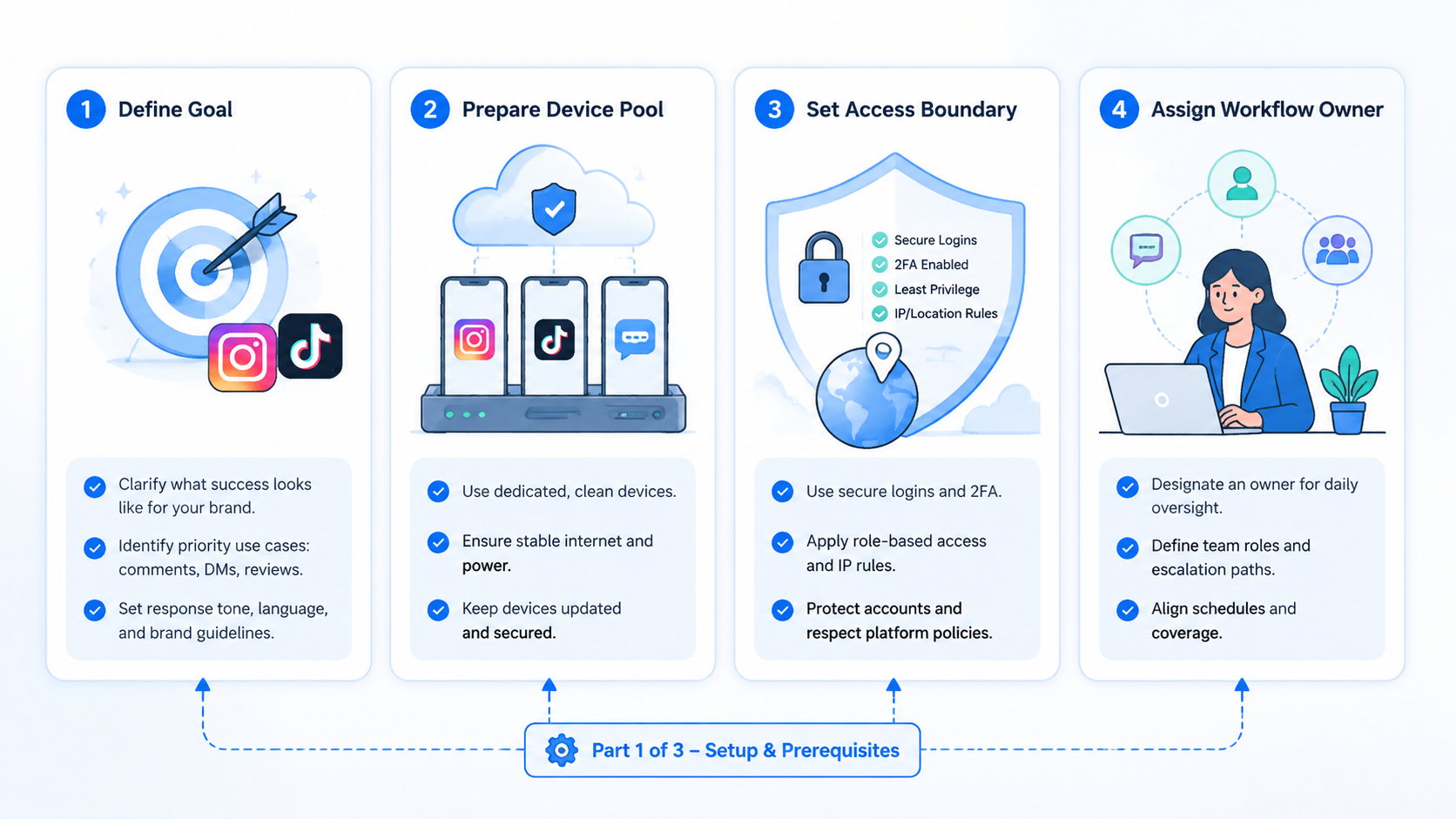
- An AI social reply assistant should triage, draft, route, and log replies.
- Instagram and TikTok workflows need account context before reply automation.
- Sensitive comments and DMs should pause for human review.
- Start with classification and draft assistance before active response automation.
What Is an AI Social Reply Assistant?
For social comments, DMs, and inbox tasks, this assistant works as a workflow tool. It reads incoming messages, classifies intent, suggests responses, and helps operators decide what to do next.
It should not act as a generic chatbot. Social media replies are tied to brand voice, account history, customer context, and platform behavior. A reply that works for a creator account may not work for a customer support account.
Instagram documents comment management as part of its platform API surface in official developer materials such as Manage Comments. TikTok documents official posting workflows in its Content Posting API, which shows that platform workflows can differ by endpoint and permission model.
Those docs do not replace team review. They show why social workflows should respect platform-specific paths. A reply assistant should know which platform, account, message type, and review rule applies.
Why AI Social Reply Assistant Workflows Matter
Reply volume grows faster than team attention. Campaign posts create comments. Product videos create questions. Viral moments create noise. Customer complaints require judgment.
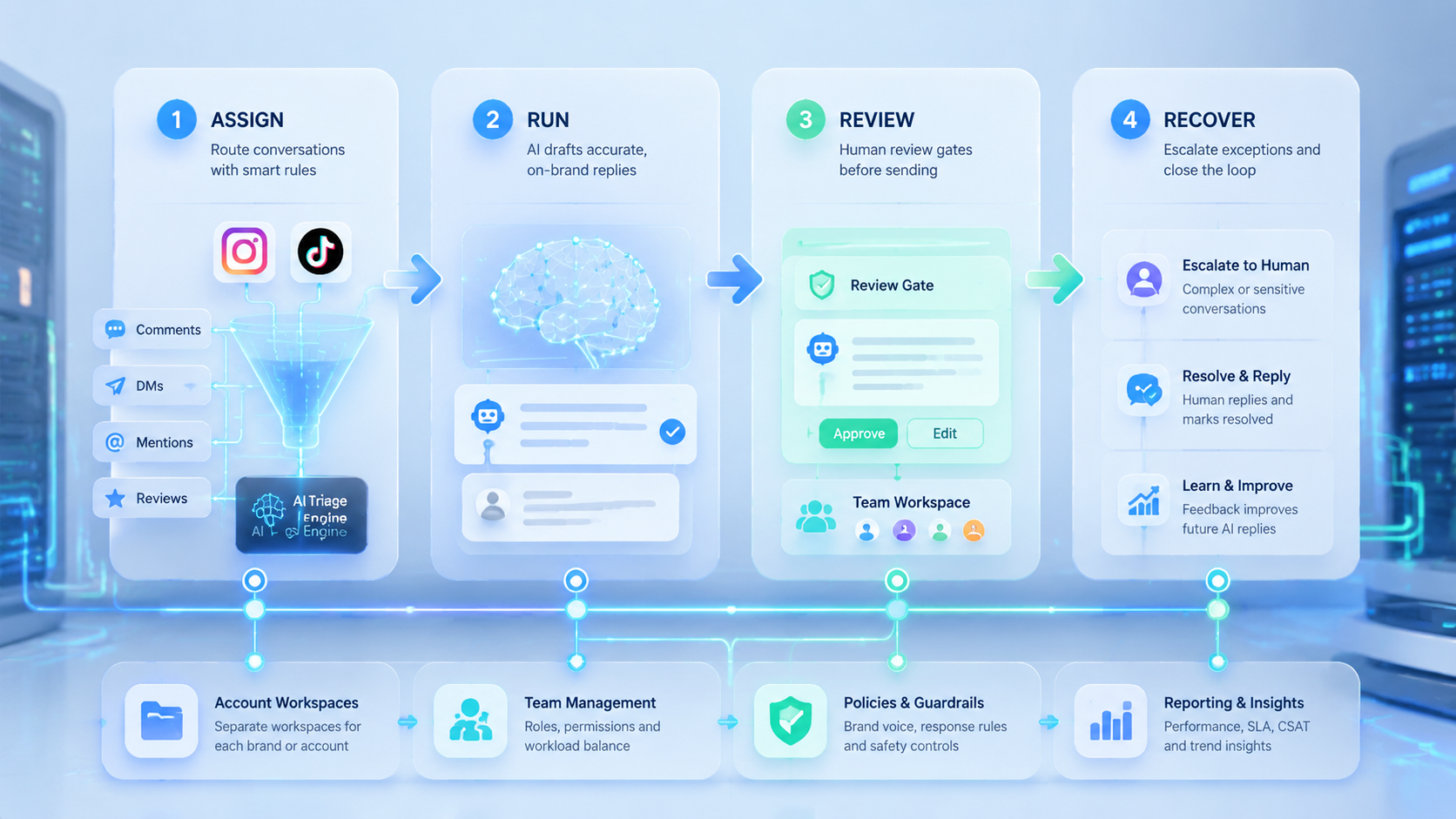
A reply assistant matters because it separates message handling into clear stages:
- Collect: gather comments or messages from the right account.
- Classify: label intent such as question, complaint, praise, spam, or lead.
- Draft: prepare a suggested response.
- Review: route sensitive or high-value replies to humans.
- Execute: send or schedule the approved response.
- Record: log the action and any follow-up.
Meta's Inauthentic Behavior policy is a useful boundary for social automation. Teams should not design workflows around fake engagement or deceptive behavior. Reply automation should support real customer and community operations.
For teams with several accounts, multi-account management becomes part of the reply system. Each reply needs the right account, voice, and operator path.
Key Benefits and Use Cases
The first benefit is faster triage. Operators can see which messages need support, sales, moderation, or simple acknowledgment.
The second benefit is consistency. Teams can store approved reply patterns for product questions, shipping issues, creator outreach, and campaign comments. AI drafts the first version, while humans keep control of tone.
The third benefit is handoff. A social media manager may handle public comments. A support agent may handle complaints. A sales operator may handle lead replies. The workflow should route each message to the right owner.
| Use case | Assistant role | Human review point |
|---|---|---|
| Product question | Draft a helpful answer | Check accuracy and link |
| Complaint | Classify urgency | Escalate before reply |
| Spam | Flag and group | Review moderation action |
| Sales lead | Summarize need | Route to sales owner |
| Creator inquiry | Draft first response | Confirm partnership rules |
For Instagram and TikTok teams, a social media marketing workflow should include both reply handling and post-publish monitoring. The work does not end when a video goes live.
How to Get Started with an AI Social Reply Assistant
Begin with classification, not sending. Classification is lower risk and exposes the message patterns your team actually receives.
Use these checkpoints:
- Account map: every account has an owner, backup owner, and workspace.
- Message taxonomy: define categories such as question, complaint, lead, spam, praise, and sensitive.
- Reply policy: decide which categories need review before sending.
- Brand voice: store examples for each account or brand.
- Execution path: choose browser, mobile, API, or manual review.
- Recovery log: record unresolved prompts, failed sends, and escalations.
For mobile-first workflows, assign replies to a cloud phone or mobile workspace when app context matters. For dashboard workflows, a browser workspace may be enough.
Keep the first pilot small. Choose one platform, one account group, and one message type. For example, classify comments from five TikTok accounts for one week. Review draft quality before allowing any active response path.
Common Mistakes to Avoid
Do not let AI send every reply without review. Public comments and DMs can affect customer trust, brand safety, and sales outcomes.
Avoid these patterns:
- same reply style for every account;
- no escalation rule for complaints;
- no owner for message categories;
- no record of failed or skipped replies;
- replying to sensitive comments too quickly;
- treating spam, leads, and support messages the same;
- measuring only reply count.
Another mistake is separating comments from account workspaces. A reply belongs to an account. The team should know which account received the message, who owns it, and which environment should be used.
AI reply assistance works best when it prepares human operators. It should reduce sorting and drafting time while keeping judgment visible.
Who It Fits and When It Is a Strong Match
This workflow fits teams with recurring comment and inbox volume. It is less useful for one person handling a small account manually.
Strong fit
- E-commerce teams answering product questions.
- Agencies handling client comments and DMs.
- Creator teams managing post-launch engagement.
- Support teams triaging social inboxes.
Weak fit
- Accounts with very low reply volume.
- Teams without brand voice rules.
- Workflows focused on fake engagement.
- Teams unwilling to review sensitive replies.
The strongest match is a team that already has reply rules but lacks execution consistency. In that case, AI can turn scattered SOPs into a working queue.
Pilot Rollout, Measurement, and Recovery Checks
A reply assistant pilot should measure quality before speed. Fast replies are not useful if they are inaccurate or off-brand.
Track:
- classification accuracy by category;
- draft acceptance rate;
- escalation rate for sensitive messages;
- missed reply count;
- average response preparation time;
- failed send or unresolved prompt count;
- account-workspace mismatch events.
Recovery checks matter when messages are sensitive. A complaint should not disappear because a workflow failed. The record should show account, message, category, owner, and next action.
After the pilot, improve the taxonomy. Add missing categories, remove vague labels, and update approved reply examples. Then expand to more accounts or message types.
Reply Classification Model for Instagram and TikTok
A reply workflow needs a clear classification model before it needs automation depth. The model tells the assistant what kind of message it is handling and what should happen next.
Use a small set of categories:
| Category | Example | Default action |
|---|---|---|
| Product question | "Does this come in black?" | Draft answer, review details |
| Complaint | "My order never arrived" | Escalate to support |
| Praise | "Love this video" | Suggest short brand-safe reply |
| Spam | Repeated or irrelevant message | Flag for moderation review |
| Lead | "How do I buy this?" | Route to sales or store link review |
| Sensitive | Refund, safety, medical, legal, or policy issue | Pause for human review |
Keep the labels simple. A large taxonomy can slow the team down. A small taxonomy with clear escalation rules is easier to audit.
The record should also store confidence and reason. A label such as "complaint" is more useful when it shows the phrase or context that triggered it. Operators can then improve the taxonomy from real examples.
Approval Rules for AI Reply Drafts
AI drafts should not all follow the same approval path. Some replies are routine. Others need a manager, support agent, or account owner.
Use three levels:
- Low review: simple thanks, emoji-free acknowledgments, and generic content questions.
- Medium review: product details, campaign links, creator outreach, or delivery questions.
- High review: complaints, refunds, safety concerns, legal topics, platform issues, or angry comments.
The approval level should be visible before any reply is sent. This helps operators work faster without losing control.
Brand voice also needs a rule. A youth-focused TikTok account may use a different tone than an enterprise Instagram account. The assistant should not reuse one universal style across every account.
Moimobi's execution model is useful here because each account can have a separate workspace. The reply assistant can prepare the draft, while the assigned account lane controls where the final action happens.
Workflow Metrics Beyond Reply Count
Reply count is a weak success metric. A team can send many low-quality replies and still damage the customer experience.
Track operational quality instead:
- classification accuracy;
- draft edit rate;
- response preparation time;
- sensitive escalation rate;
- missed reply count;
- reopened conversation count;
- failed send or unresolved prompt count;
- account-owner handoff time.
These metrics show whether the assistant is helping the team. A high edit rate may mean prompts or brand voice examples need work. A high escalation rate may mean the campaign is attracting support issues. A high missed reply count may mean the collection workflow is incomplete.
Use the metrics weekly. The goal is not to remove humans. The goal is to spend human time on judgment, not sorting and first-draft work.
Frequently Asked Questions
What is an AI social reply assistant?
It is software that classifies social messages, drafts replies, routes work, and records follow-up tasks.
Can it reply automatically?
It can support approved reply workflows, but sensitive replies should go through human review.
Is it useful for Instagram and TikTok?
Yes, when teams manage comments, DMs, product questions, complaints, or campaign replies.
What should teams automate first?
Use classification and draft preparation before sending replies.
How does Moimobi fit?
Moimobi connects reply workflows to browser and mobile account environments.
What is the main risk?
The main risk is sending off-brand or sensitive replies without review.
How should teams measure success?
Measure draft acceptance, escalation quality, missed replies, and recovery time.
Conclusion
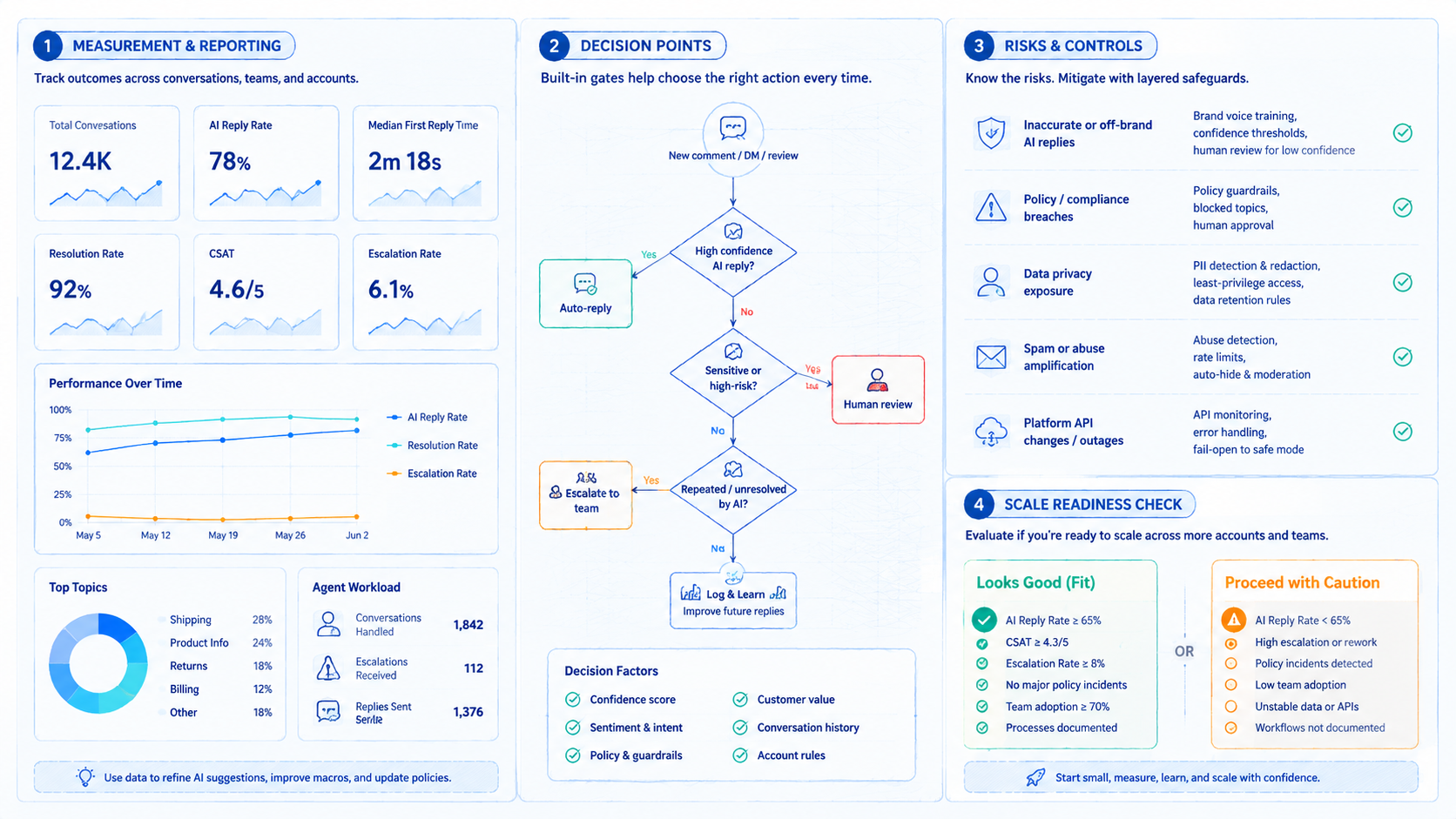
This kind of reply assistant is strongest when it supports operators, not when it hides judgment. Build the workflow around account context, message categories, review rules, and recovery logs.
Choose one account group and one message type for the first rollout. If the assistant classifies correctly, drafts useful replies, and escalates sensitive cases, expand the workflow gradually.



