
Title: AI Worker Platform for Agencies Managing Online Accounts
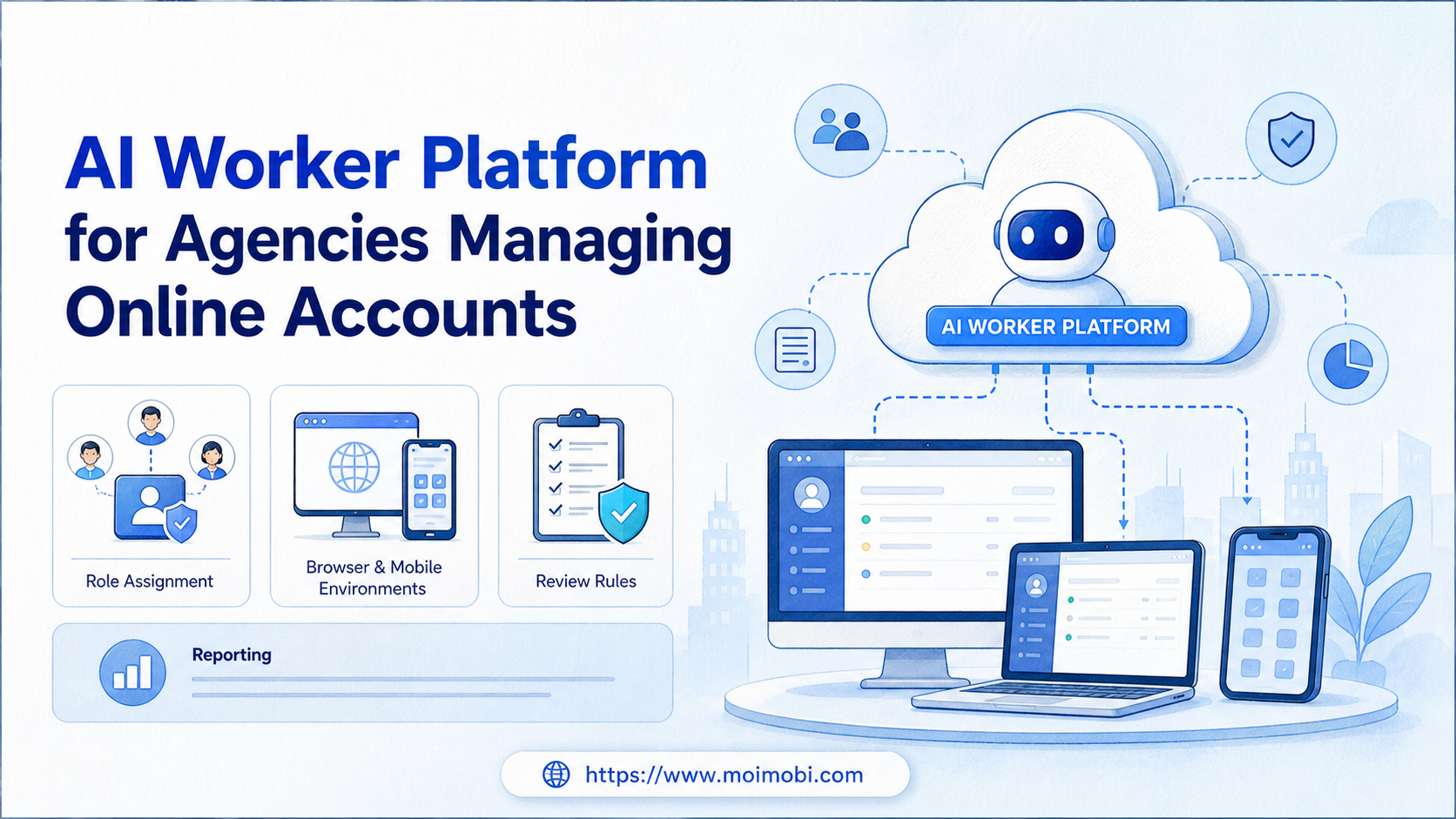
An AI worker platform is an execution system that helps agencies assign, run, review, and track repeated online account workflows. It is not only a chat interface for writing captions or replies.
Agencies manage a different problem from single-brand teams. They often handle many client accounts, several operators, multiple channels, and repeated handoffs. The work becomes risky when account ownership, browser sessions, mobile environments, and approval rules are scattered across private notes.
For agency teams, the practical goal is simple: keep each client account connected to the right worker, environment, task rule, reviewer, and result record.
Key Takeaways
- Agencies need account-level workflow control, not only AI text generation.
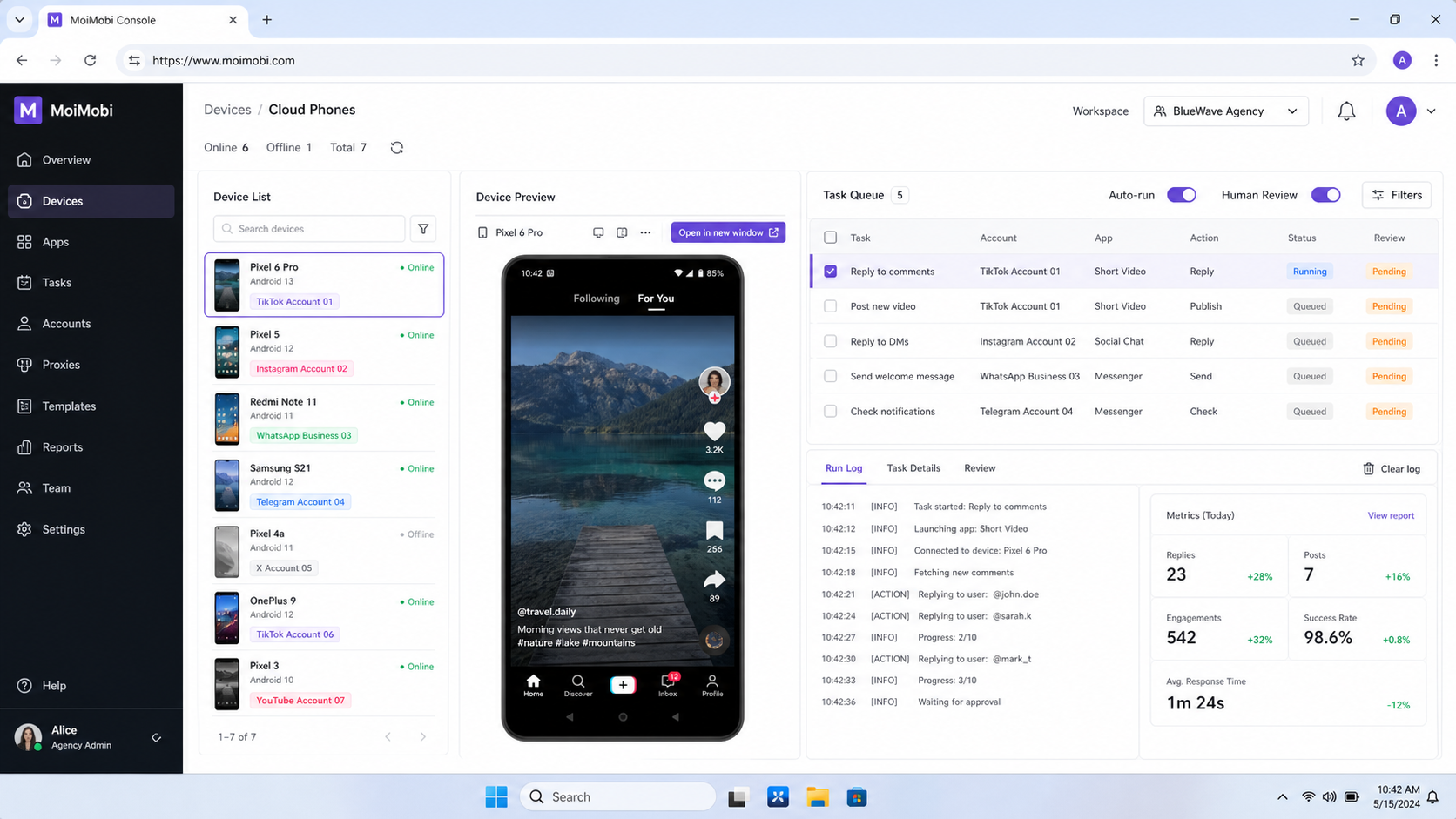
- A worker should be assigned to a client, account group, task type, and review rule.
- Browser and mobile execution environments should stay traceable.
- Human review is still needed for client-sensitive replies, approvals, and exceptions.
- Success should be measured through completed work, exception quality, and client visibility.
What Is an AI Worker Platform for Agencies Managing Online Accounts?
For agencies, the platform works as a controlled workspace for repeatable online account work. It can connect AI-assisted planning, content drafting, browser execution, mobile execution, approval queues, and task records.
The important word is controlled. Agencies cannot treat every client account as one shared workspace. A client account may need its own operator, content rule, login environment, publishing approval, and reporting cadence.
For example, an agency may manage ten social media clients. Each client has a publishing calendar, inbox workflow, comment-review rule, and weekly reporting need. A normal AI assistant may help draft content. A worker platform helps decide who runs the task, where it runs, and how the result is reviewed.
This is where an AI browser execution platform becomes relevant. Browser-based tasks often require logged-in sessions, web apps, dashboards, and traceable steps. The W3C WebDriver specification describes browser automation as remote control of user agents. Playwright browser contexts also show how isolated browser contexts can separate state during automation. Agencies need the same operational discipline at the workflow level.
Why Agencies Need Account Assignment Before Automation
The biggest agency mistake is automating before account ownership is clear. A worker that can touch every client account may look efficient, but it becomes difficult to audit. When something fails, the team cannot quickly see who owned the task, which environment ran it, or which client approval rule applied.
Account assignment should answer five questions:
- Which client owns this account?
- Which operator or worker owns the task?
- Which browser profile, cloud phone, or device group is assigned?
- Which actions are allowed without approval?
- Which results must be reviewed before the client sees them?
The system should make these answers visible before work starts. That is why multi-account management matters for agencies. The goal is not to multiply actions. The goal is to keep client work separated, explainable, and repeatable.
Permissions are also part of the operating model. Meta's business tools, for example, organize work around assets, people, and permissions in Business settings. The exact setup varies by platform, but the principle is consistent: teams need role boundaries before they scale account operations. See the Meta Business Help Center for first-party guidance on business accounts and permissions.
Agency Scenario Map: Clients, Workers, Environments, and Metrics
Start by mapping the agency scenario. The table below shows how one agency could divide client account work without turning every task into a shared queue.
| Agency role | Client account task | Execution environment | Review metric |
|---|---|---|---|
| Account manager | Approve campaign priorities | Client workspace and approval queue | Approval turnaround time |
| Content operator | Prepare captions, post drafts, and briefs | Browser workspace or content queue | Draft acceptance rate |
| Publishing worker | Publish approved content per account | Assigned browser profile or cloud phone | Successful publish rate |
| Inbox reviewer | Triage comments, DMs, and customer replies | Inbox workspace with review status | Escalation quality |
| Operations lead | Review failures and weekly account health | Reporting board and task history | Clean recovery records |
This map forces the agency to define work before scaling it. A worker is not just an AI persona. It is a named operating lane with a client boundary, account boundary, environment, and success metric.
For mobile-first channels, a cloud phone can act as a persistent mobile execution environment. For browser-heavy workflows, device isolation and profile separation help keep client work from blending into one shared session model.
AI Worker Platform Workflow for Agency Account Operations
Do not begin with the largest client or the most sensitive workflow. Choose one repeated task that has clear input, allowed actions, and review criteria.
- Select one client account group. Pick a small group with a clear operating pattern.
- Define the worker role. Name the worker by task, such as publish checker or inbox triage worker.
- Assign the environment. Map the account to a browser profile, cloud phone, or mobile device group.
- Set allowed actions. Separate draft, classify, publish, reply, escalate, and report actions.
- Add human review gates. Require approval for client-sensitive content, unusual replies, and failed tasks.
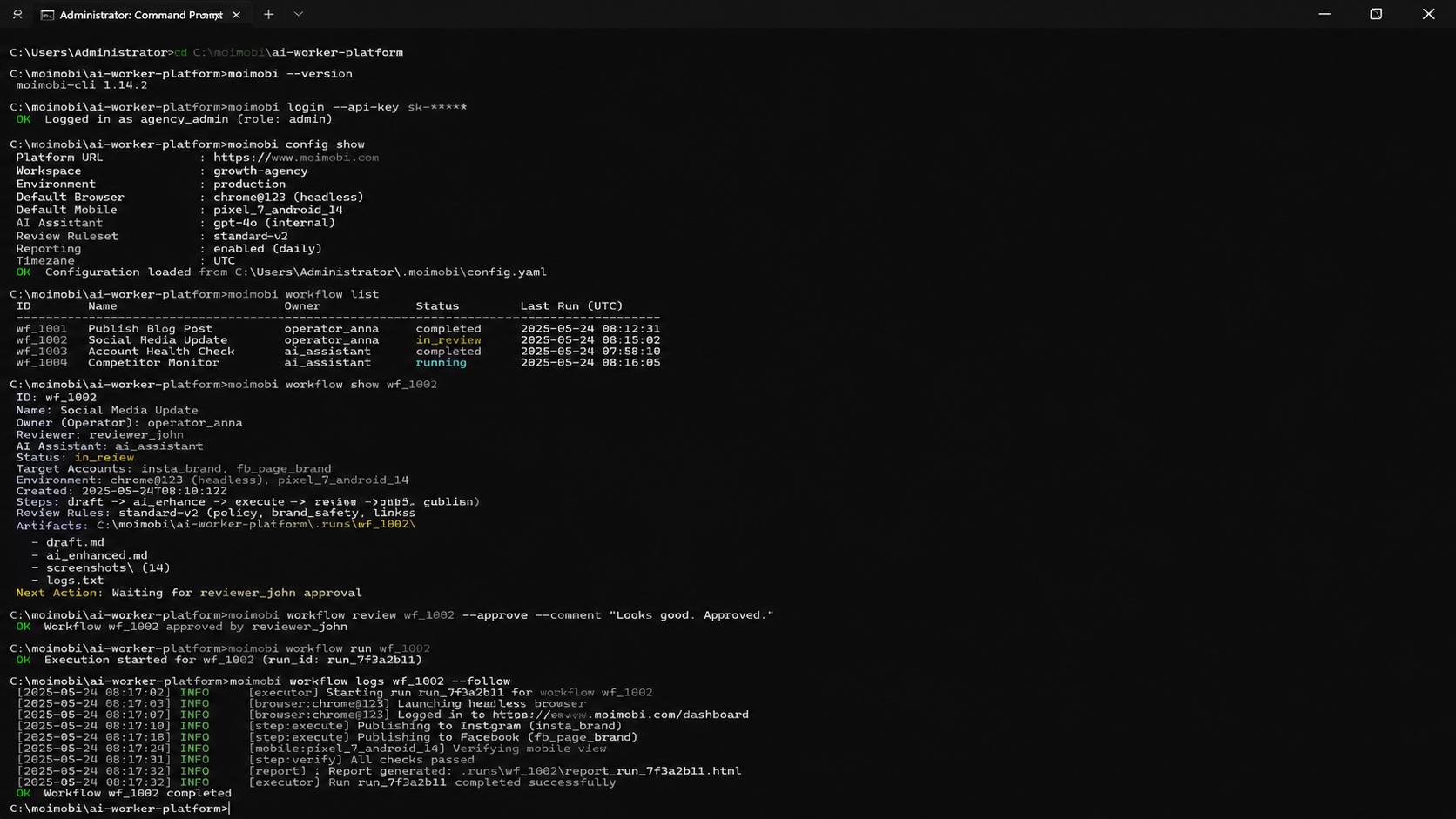
- Record every result. Store task status, reviewer, account, environment, failure reason, and next action.
This workflow keeps automation inside a known lane. It also makes the agency easier to manage. A new operator can review the account map, worker role, and last task result instead of asking several people what happened.
NIST guidance on session management explains that authenticated sessions need controls around continuity, reauthentication, and termination. Agency workflows are not the same as identity-system design, but logged-in account work still needs session awareness. The NIST Digital Identity Guidelines provide a useful reference for why session state should not be ignored.
Client Handoff, Permissions, and Pause Rules
Agency workflows usually fail at handoff points. A content operator may finish a draft, a reviewer may approve it in a chat thread, and a publisher may run the task from a different account environment. When those handoffs are not recorded, the team loses the chain of responsibility.
Build the handoff model before expanding worker count. Each task should carry the client name, account group, worker role, environment, reviewer, approval state, and next action. This keeps the workflow readable when several people touch the same client account during the week.
Permissions need the same clarity. Agencies should decide which actions a worker can prepare, which actions it can execute, and which actions require a person. Drafting a reply is different from sending it. Preparing a post is different from publishing it. Collecting a report is different from changing a client strategy.
Use pause rules for events that should not continue automatically:
- login challenge or account state change
- missing client approval
- reply involving refund, legal, medical, or financial claims
- failed publish or repeated app error
- route, device, or session mismatch
- unclear owner for the next action
The pause rule should name the recovery owner. Without an owner, a stopped task becomes another hidden backlog item. With an owner, the agency can decide whether to retry, reassign, escalate, or update the workflow.
MoiMobi's value in this pattern is execution control. A worker can be connected to an account environment, while the agency keeps the approval and recovery layer visible. That makes the platform useful for operations, not only for AI generation.
Key Benefits and Use Cases for Agencies
The benefit is not “AI does everything.” A stronger model is “AI prepares or executes repeatable steps while the agency controls roles, environments, and exceptions.”
Common agency use cases include:
- content brief generation for client approval
- social post preparation and publishing checks
- comment and inbox triage
- lead research and CRM preparation
- client reporting and weekly status summaries
- account health review and recovery planning
The value depends on the task. A worker that drafts captions may save preparation time. A worker that checks inboxes may reduce missed messages. A worker that gathers weekly reporting inputs may make client reviews more consistent.
MoiMobi is relevant when the task needs real execution environments. Agencies running social media and customer engagement workflows may need mobile automation, account separation, and traceable task records in one operating model.
Fit Boundaries: When an AI Worker Platform Is a Strong Match
An agency is a strong fit when the work repeats across clients but still needs account boundaries. The platform makes sense when the agency can describe a workflow as: “For this client account group, run this task, in this environment, with this approval rule.”
Strong-fit conditions include:
- the same workflow repeats weekly or daily
- several operators touch the same client account set
- account sessions or mobile app states matter
- clients need reporting or approval visibility
- failures need a written recovery path
Weak-fit conditions are different. If the agency only manages one client, rarely repeats tasks, or handles mostly strategic consulting, a worker platform may be premature. A lighter project tracker and AI writing assistant may be enough.
The deciding factor is operational repeatability. If the account work already has a pattern, workers can make that pattern easier to run and review. If the pattern does not exist, the agency should document the process first.
Common Mistakes to Avoid
One common failure is creating workers with vague names. “Growth AI” or “client AI” does not tell anyone what the worker may do. Better names include “TikTok publish checker,” “Instagram inbox triage worker,” or “weekly report collector.”
Another mistake is using one environment for too many client accounts. Shared browser sessions, shared mobile devices, and unclear routing can make reviews harder. Agencies should separate work by client, account group, and task sensitivity.
Avoid these patterns:
- one worker acting across unrelated clients
- one operator changing account settings without a record
- one approval rule for every content type
- no stop rule after failed login or failed publish
- no field for failure reason or recovery owner
The safer agency model is slower at first. It asks the team to define account ownership, environments, roles, and review states before expanding. That upfront work reduces confusion when more client accounts enter the system.
Pilot Rollout, Success Metrics, and Review Loop
Use a pilot before expanding across all clients. The first pilot should cover one client group, one workflow, one worker role, and one reviewer. That scope is small enough to inspect.
Track practical metrics:
- completed tasks
- tasks paused for review
- failed tasks by reason
- time from AI draft to approval
- client-visible errors
- recovery time after an issue
- reporting fields completed on schedule
Do not judge the pilot by task volume alone. A smaller number of clean, reviewable tasks may be more valuable than a larger number of unclear actions. Agencies need evidence that the workflow can be explained to the client and repeated by the team.
Weekly review should focus on failure categories. Prompt problems should trigger skill updates. Environment-state issues should trigger account assignment review. Human delay may require a different approval owner. Client preference changes should update the client rule before the next run.
For agencies managing many client accounts, social media marketing workflows and phone farm infrastructure can frame when the operation needs more parallel capacity.
Frequently Asked Questions
1. Is an AI worker platform different from AI employees software?
Yes. AI employees software may describe a broad category. An AI worker platform focuses on assigned workflows, execution environments, review rules, and task records.
2. What should agencies automate first?
Begin with a repeated, low-risk workflow. Good examples include draft preparation, inbox triage, account checks, and weekly reporting inputs.
3. Should one worker manage all client accounts?
Usually no. Agencies should separate workers by client group, task type, or account environment. This makes review and recovery clearer.
4. Does every agency workflow need a cloud phone?
No. Browser-based account work may run in browser profiles. Mobile-app workflows may need cloud phones or Android environments.
5. How should agencies handle client approval?
Use review gates. AI can prepare drafts or classify tasks, but client-sensitive replies and public content should follow approval rules.
6. What metrics matter most?
Track completed tasks, review delays, failure reasons, recovery time, and client-visible quality. Task count alone is not enough.
7. How does MoiMobi fit agency account operations?
MoiMobi provides browser and mobile execution infrastructure for multi-account workflows. It is useful when agencies need separated environments, reusable tasks, and clear records.
8. When is this not a good fit?
This approach is not a good fit when the agency has no repeatable process, unclear client permissions, or no one available to review exceptions.
Conclusion
The platform helps agencies manage online accounts when repeated work needs clear ownership, real execution environments, and reviewable results. It is most useful after the agency defines client boundaries, worker roles, account environments, and approval rules.
Before scaling, run one pilot. Pick one client group, one repeated workflow, one execution lane, and one review owner. If the team can explain who did the work, where it ran, what changed, and how failures were handled, the workflow is ready for the next stage.



