
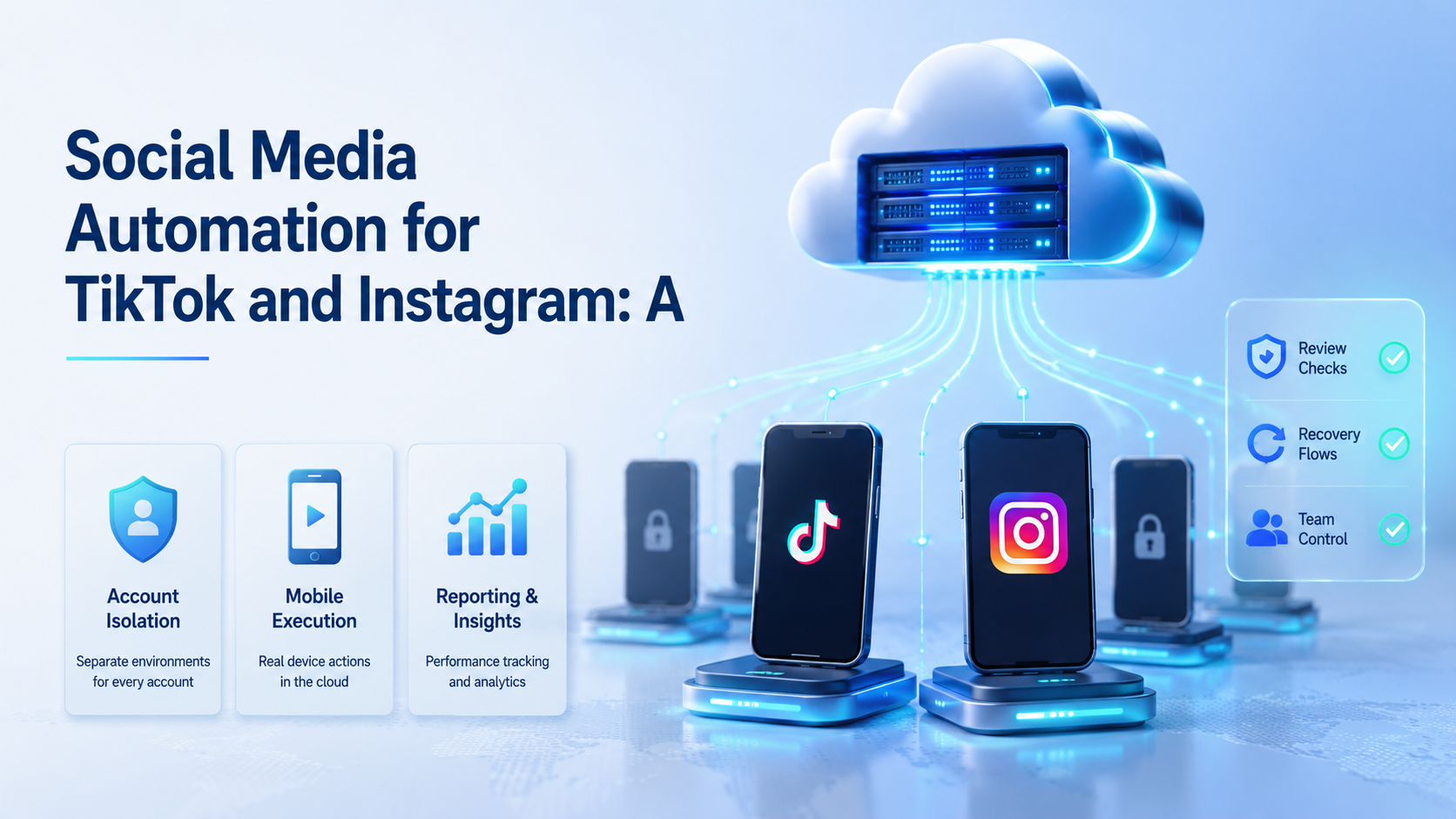
Social media automation for TikTok and Instagram is a controlled workflow for publishing, checking, replying, and monitoring across mobile-first accounts. A cloud phone workflow gives each account or account group a managed Android environment instead of relying on one shared device or one desktop browser.
The reason is practical. TikTok and Instagram operations often move between content planning, app checks, comments, DMs, account status, and campaign reporting. A calendar tool can help plan work, but the execution layer still needs clean account environments.
Moimobi connects cloud phone environments with mobile automation, device isolation, and multi-account management. This makes it useful for teams that need mobile execution, not only scheduled posts.
Key Takeaways
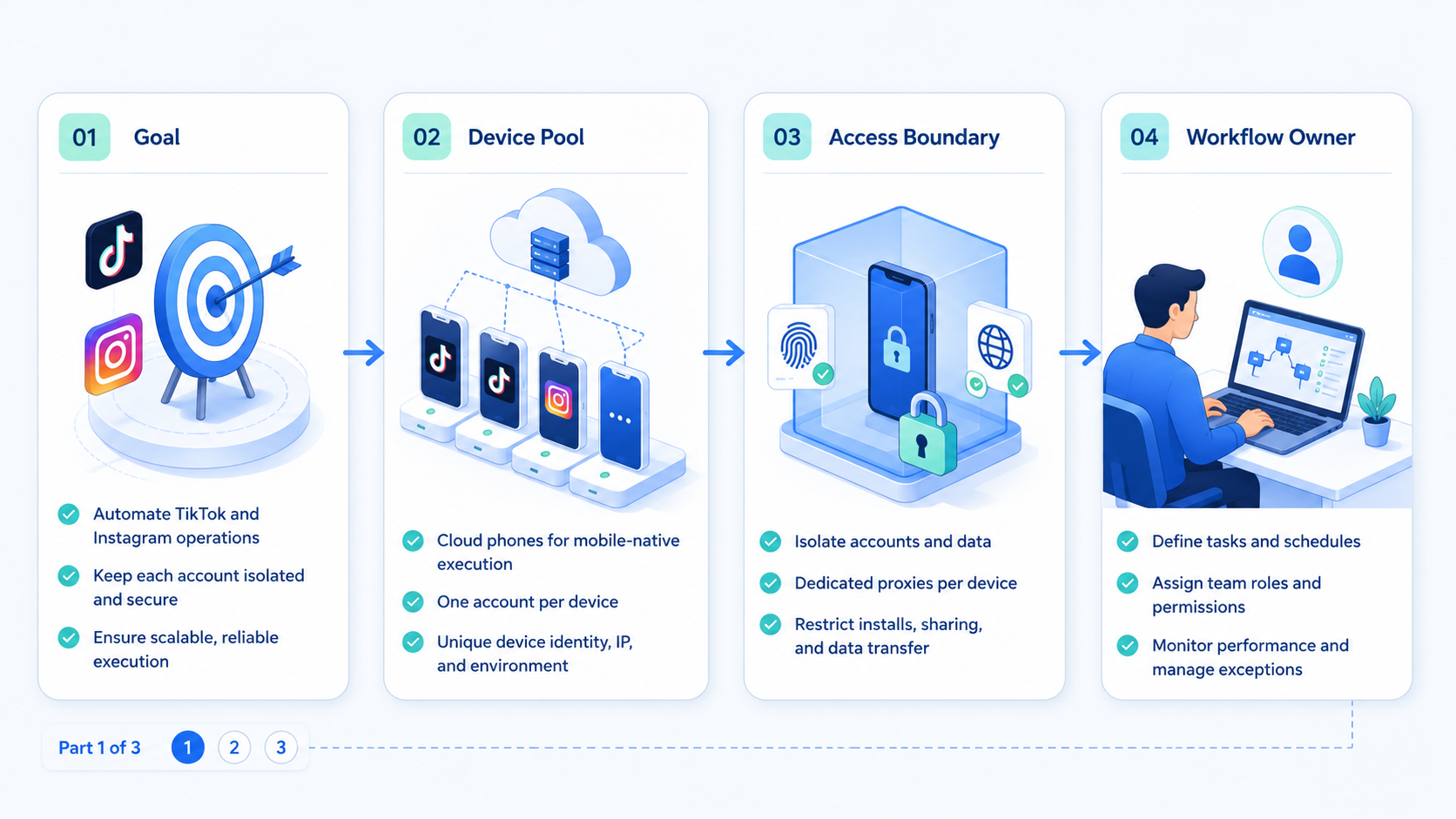
- TikTok and Instagram automation often needs mobile execution.
- Cloud phones are useful when account work must stay separated.
- A workflow should include content, review, execution, tracking, and recovery.
- Browser profiles still matter for dashboards and reporting.
- A pilot should test account setup, task reliability, and operator load.
- Avoid using one shared device or workspace for unrelated accounts.
What Is a Cloud Phone Workflow for TikTok and Instagram?
A cloud phone workflow is a repeatable process that runs mobile account tasks inside managed Android environments. Each account or account group can have its own workspace, task queue, and activity history.
This matters because TikTok and Instagram are not only web dashboards. Many teams still need mobile app checks, account review, comment handling, and app-first publishing steps. A desktop-only workflow can leave those tasks outside the automation system.
Official platform paths still matter. TikTok documents a Content Posting API for approved integrations. Meta documents the Instagram Platform for business and creator use cases. Use those routes where they fit, then keep cloud phones for mobile tasks that need app environments.
The workflow should not treat every account the same. A brand account, regional account, test account, and client account may require different review steps. The environment should reflect those differences.
How social media automation for TikTok and Instagram differs from scheduling
Scheduling is only one layer of the work. It decides when a post should go live. Social media automation for TikTok and Instagram also decides how the account is opened, where the task runs, who reviewed the asset, and how the result is recorded.
This difference matters for teams with multiple operators. One person may prepare captions. Another may run the mobile task. A third person may review comments or client reports. The workflow needs to connect those steps without relying on memory.
A cloud phone workflow also supports mobile checks after publishing. Operators can confirm whether the post appeared correctly, whether a comment queue needs review, and whether the account needs follow-up. Those checks are hard to manage if every account shares one physical phone.
Why Social Media Automation for TikTok and Instagram Needs Execution Design
The common mistake is thinking automation equals scheduling. Scheduling decides when content should go live. Execution design decides how the work happens, who owns it, and what record is created.
Managed mobile environments help where the task is mobile-first. AWS Device Farm describes remote real-device app testing, which shows the broader value of controlled device access. For operations teams, the same idea applies to account work: mobile behavior should be tested and executed in a controlled setting.
Browser automation still has a role. The W3C WebDriver standard defines browser automation concepts, and Playwright documents browser contexts for session separation. Dashboards, reports, and web-based tools can still use browser profiles.
The best setup combines both layers. Use browser profiles for web work. Use cloud phones for app work. Use reporting to connect both results into one account history.
A Practical Cloud Phone Workflow
| Step | What happens | Control needed |
|---|---|---|
| Account setup | Assign account to a mobile workspace | Owner, region, routing, client group |
| Content handoff | Attach video, caption, tags, and campaign | Reviewer and asset version |
| Mobile execution | Run app-first publish or check task | Cloud phone environment |
| Browser review | Check dashboard or campaign notes | Browser profile separation |
| Status capture | Record result and error reason | Task log and account history |
| Recovery | Route failed work to owner | Retry, pause, or manual review |
This workflow keeps the work explainable. A failed task can be traced to an account, environment, asset, or review step. That is better than asking an operator to reconstruct the process from memory.
Teams running TikTok-heavy workflows should also link this process to a platform hub such as cloud phone for TikTok. Instagram can follow the same account isolation model, with different approval and format rules.
How to Get Started
Do not start with every account. Start with a narrow workflow that can be measured.
-
Pick one platform pair.
Use TikTok and Instagram accounts that share one campaign. -
Assign environments.
Give each account group a cloud phone or separated workspace. -
Define task types.
Separate posting, checking, replies, monitoring, and reporting. -
Add review gates.
Captions, product claims, and customer replies need different approval rules. -
Track every run.
Record account, environment, asset, reviewer, result, and error reason. -
Review the pilot weekly.
Fix repeated failures before adding more accounts.
Moimobi fits this rollout because it treats cloud phones as part of a broader execution system. Teams can connect mobile tasks with browser workflows and account reporting instead of running them in separate tools.
Common Mistakes to Avoid
One shared phone is not a workflow. It may work for a small test, but it becomes hard to audit when more accounts and operators join.
Another mistake is ignoring browser tasks. TikTok and Instagram teams may still need web dashboards, client reports, and campaign tools. A pure mobile setup can leave those steps disconnected.
Teams also over-automate replies too early. Publishing an approved post is different from replying to a customer. DMs and comments need escalation rules, especially for support, pricing, and complaints.
Do not compare cloud phones only by device count. Compare environment ownership, task logging, routing control, review support, and recovery workflow. A larger pool of devices can still be messy if the process is unclear.
Another mistake is treating TikTok and Instagram as identical. They can share campaign assets, but they often need different formats, caption checks, account review paths, and post-run monitoring. The workflow should let the team reuse common fields without forcing both platforms through the same exact task.
Teams should also avoid starting with broad automation. Start with a narrow repeatable lane, such as approved video publishing or account status checks. Add replies, monitoring, and reporting only after the first lane is measurable.
Who It Fits and When It Is a Strong Match
This workflow fits social teams that run repeated mobile work across more than a few accounts. Agencies, creator teams, cross-border sellers, and community teams are common examples.
It is strongest when mobile execution is part of daily operations. A team that only schedules one post per week may not need this layer. A team that checks comments, posts videos, reviews account status, and reports daily activity has a stronger use case.
It also fits teams comparing a cloud phone workflow with a physical phone farm. A physical phone farm can become hard to maintain when devices, operators, and account groups grow. A managed cloud workflow can make handoff and reporting easier.
A weak fit is a team without a repeatable content or account model. Cloud phones cannot replace account ownership, brand review, or campaign planning.
This workflow is also a strong match for remote teams. A cloud-based setup allows operators and reviewers to work from one controlled system instead of passing devices between desks. That can reduce handoff confusion when accounts are split by client, market, or campaign.
The fit is weaker when the only need is occasional content planning. In that case, a scheduler or content calendar may be enough. The cloud phone layer becomes more valuable when account execution, mobile checks, and separated workspaces are part of the service.
Pilot Rollout, Measurement, and Recovery Checks
A pilot should prove that the workflow is controllable. Choose a small account group and one campaign. Run the same process across TikTok and Instagram for one cycle.
Measure five things:
- Setup time per account.
- Manual corrections per task.
- Publish or check success rate.
- Failed task reason.
- Time from failure to recovery.
Recovery should be assigned before the pilot starts. A missing asset should go to content operations. A session issue should go to the account owner. A customer message should go to a reviewer. A platform-specific issue should pause the task until a human checks it.
The pilot works when every result is explainable. Scale only after the team can say why each task succeeded, failed, or required review.
Add one stop rule before expansion. Pause rollout if failures cluster around the same account group, if operators keep using private notes, or if reviewers often bypass the queue. Those signs mean the workflow needs repair before more accounts are added.
Moimobi can support this review because the workflow links accounts, environments, and task history. That lets managers improve the system from evidence instead of asking operators what happened after the fact.
Keep the next rollout step narrow. Add one platform, one account group, or one task lane at a time. That keeps the workflow measurable.
Frequently Asked Questions
What is social media automation for TikTok and Instagram?
It is a workflow for repeated publishing, checking, replying, and monitoring across TikTok and Instagram accounts.
Why use cloud phones?
They provide managed mobile environments for app-first tasks and account separation.
Is a browser profile still needed?
Yes. Browser profiles are useful for dashboards, reporting, and web-based account work.
Is this better than a physical phone farm?
It depends on operations. Cloud phones can reduce device handling and improve remote handoff.
Should every account have its own cloud phone?
Often, one account or account group should map to one controlled environment. The exact model depends on workflow risk.
Can AI help with the workflow?
AI can draft captions, replies, and task plans. Human review should remain for sensitive actions.
How does Moimobi fit?
Moimobi provides browser and mobile execution environments for teams running multi-account social workflows.
Conclusion
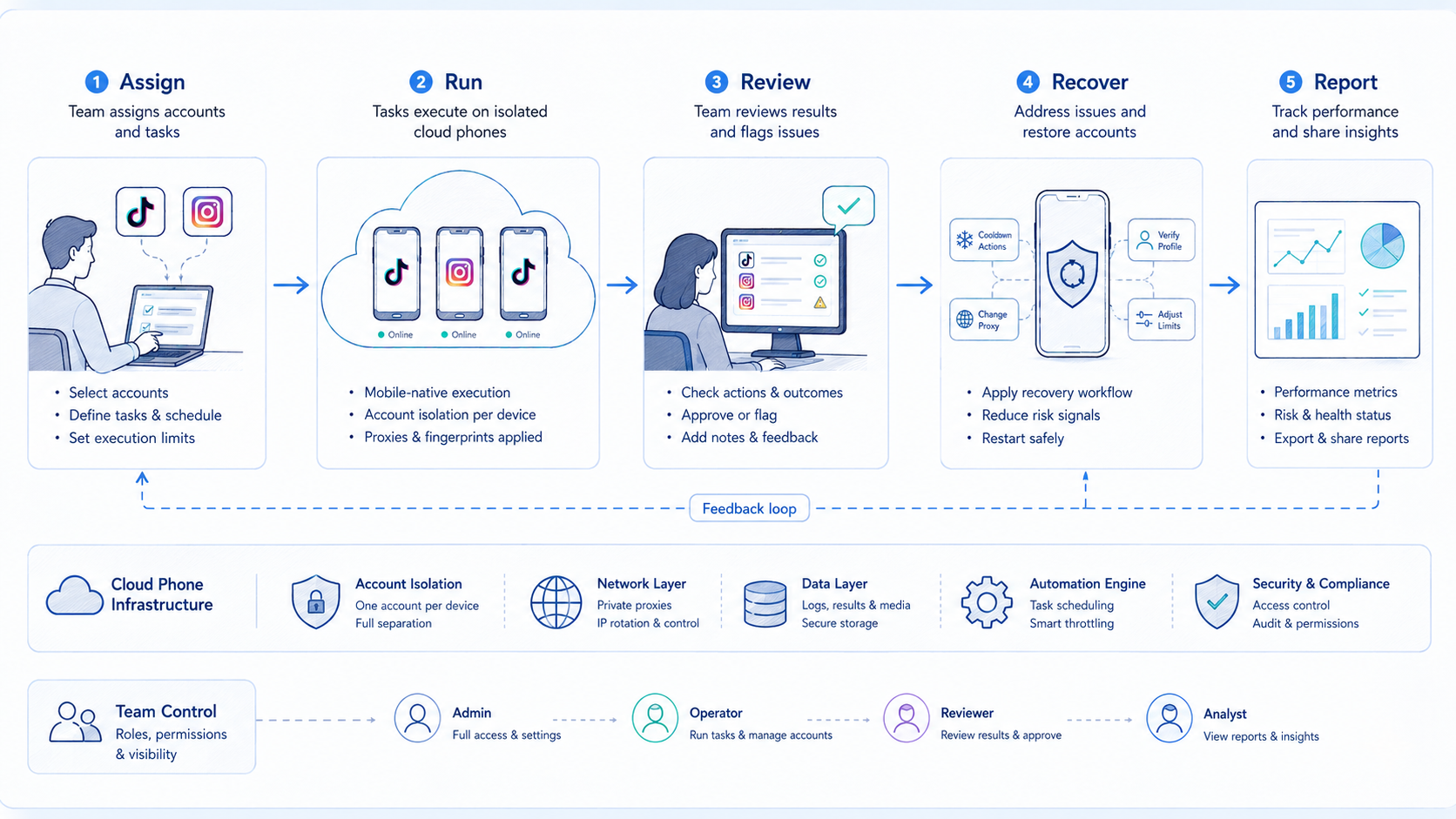
Social media automation for TikTok and Instagram needs more than a calendar. The practical order is account separation, mobile execution, browser support, review gates, and recovery data.
Start with one campaign and a small account group. Check whether the team can track every task from asset to result. If mobile execution is central to the workflow, Moimobi can provide the cloud phone layer and account workspace needed to scale it.



