
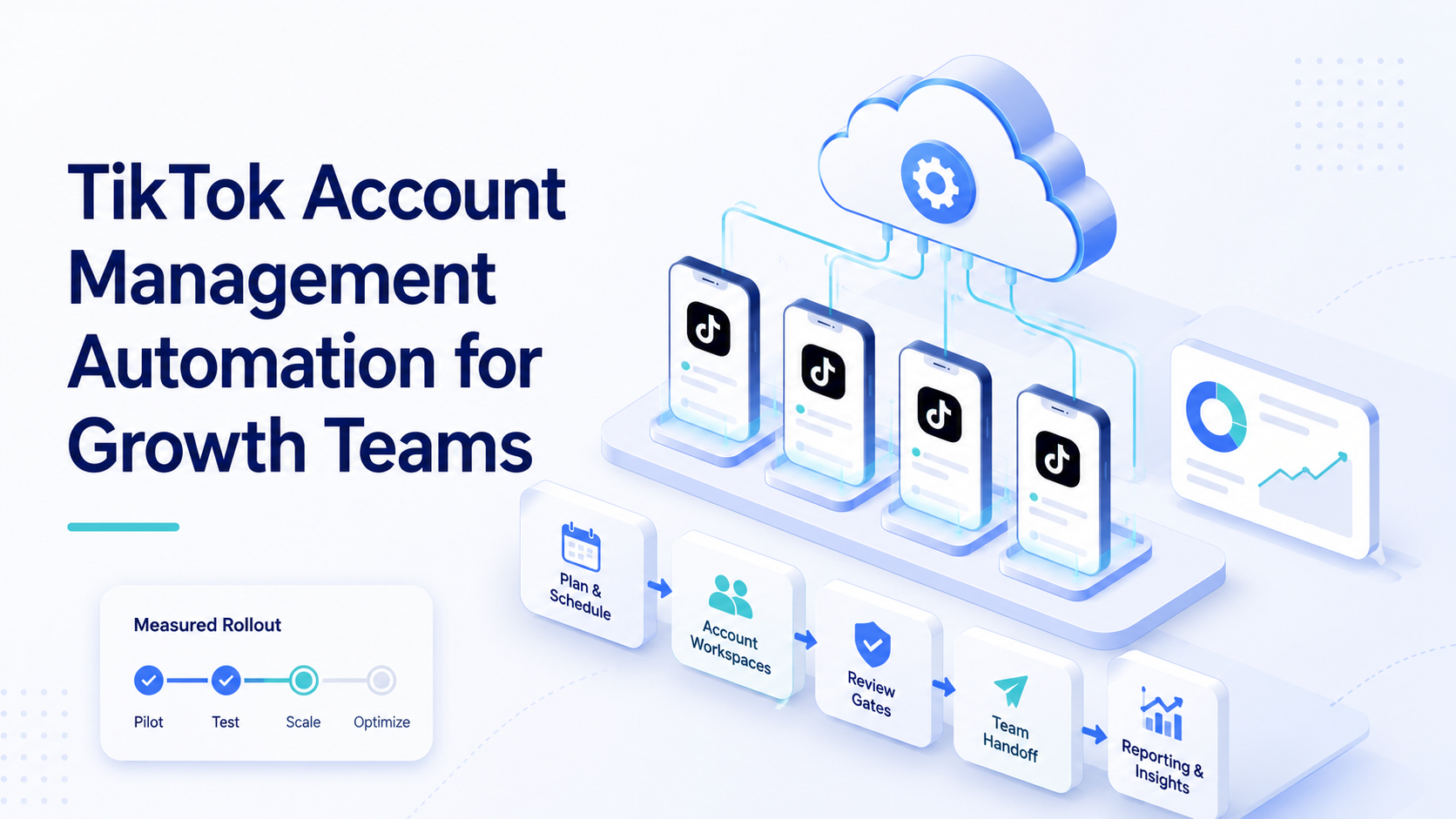
TikTok account management automation is the structured use of software, account workspaces, mobile environments, and review rules to repeat TikTok operations without turning every task into manual switching. Growth teams use it for controlled execution, not reckless volume.
The best starting point is simple. Choose the repeated account work that slows the team down, then decide which parts can be automated, which parts need review, and which parts should stay manual.
Moimobi supports this operating model with cloud phone environments, mobile automation, device isolation, and multi-account management. For TikTok-specific workflows, teams should also evaluate the cloud phone for TikTok page.
Key Takeaways
- TikTok account management automation should start with workflow control, not raw posting speed.
- Each account needs an owner, environment, task queue, and review rule.
- Cloud phones are useful when workflows depend on mobile app behavior.
- Automation should keep human review for captions, comments, DMs, and unusual account events.
- A pilot should measure completed tasks, failed reasons, recovery time, and quality review outcomes.
- Official platform tools matter, but they do not remove the need for internal operating rules.
What Is TikTok Account Management Automation?
This operating model is not only scheduling videos. A stronger setup covers account setup, content preparation, publishing checks, comment review, inbox triage, monitoring, and reporting. It treats each account as an operational workspace.
The TikTok Content Posting API shows that TikTok has official routes for approved content posting integrations. That is useful for certain product workflows. Growth teams still need internal process design around approvals, account roles, mobile execution, and results tracking.
Official APIs are not the same as full operations coverage. A team may still need mobile checks, account handoff, comment review, and recovery logs. Those tasks sit around the approved integration layer.
The practical unit is the account task. A task might be "prepare a caption draft," "check whether a video is live," "collect comments for review," or "record campaign status." Each task needs a known account and a clear finish state.
Why Growth Teams Need a Workflow Model
Growth teams usually hit friction before they hit scale. One operator can manage a few accounts with manual switching. A team managing many accounts needs a shared system.
The first problem is ownership. Someone must know who controls each account, which environment it uses, and which campaign it belongs to. Without that, a simple status check can turn into a search across phones, browsers, sheets, and chat threads.
The second problem is review. TikTok content can be public and fast-moving. Captions, replies, and comment handling should not be fully delegated without rules. A review queue helps teams separate routine actions from judgment calls.
The third problem is feedback. Growth work needs data. A useful automation setup should record results, not just perform actions. Completed tasks, failed steps, and recovery time tell the team where to improve.
Core Use Cases for TikTok Account Management Automation
The strongest use cases are repetitive and verifiable. They reduce manual switching while keeping important decisions visible.
| Use case | Automation role | Human review point |
|---|---|---|
| Publishing preparation | Organize assets, captions, and account queues | Final caption and brand check |
| Live status checks | Confirm whether videos are published | Exception review if missing |
| Comment collection | Collect comments into a review queue | Approve replies or escalations |
| Competitor monitoring | Capture public examples and tags | Decide insight and response |
| Reporting | Gather task outcomes and account activity | Interpret campaign changes |
This structure keeps automation in the right place. It handles repeated execution and data collection. People still decide tone, escalation, and campaign direction.
How Cloud Phones Fit TikTok Workflows
TikTok is a mobile-first platform, so some work needs a mobile execution environment. A cloud phone gives teams a remote Android workspace for app-based actions, account checks, and operator handoff.
This does not mean every task belongs inside a cloud phone. Browser dashboards, content planning, and reporting may still happen on the web. The right architecture connects both sides.
Moimobi positions cloud phones as one layer of execution infrastructure. A TikTok workflow can use social media marketing planning, cloud phone execution, and reporting feedback. For teams comparing device approaches, the cloud phone vs emulator guide is a useful next read.
Device design should stay conservative. Each account should have a clear environment assignment. Mixed account work creates confusion and makes troubleshooting harder.
Remote device infrastructure is a known pattern outside social operations. AWS Device Farm describes running apps on real devices in a managed cloud environment. Android Enterprise documents managed Android for organizations. These sources do not define TikTok operations, but they support a broader principle: mobile environments need ownership, access rules, and device-level control.
For TikTok teams, that principle becomes practical. A cloud phone should not be a random shared device. It should be tied to an account, a workflow, and an owner. The team should know what runs there and when to pause it.
How to Get Started with TikTok Account Management Automation
Begin with a small pilot that has low public risk. Status checks and report collection are usually better first tasks than comment replies.
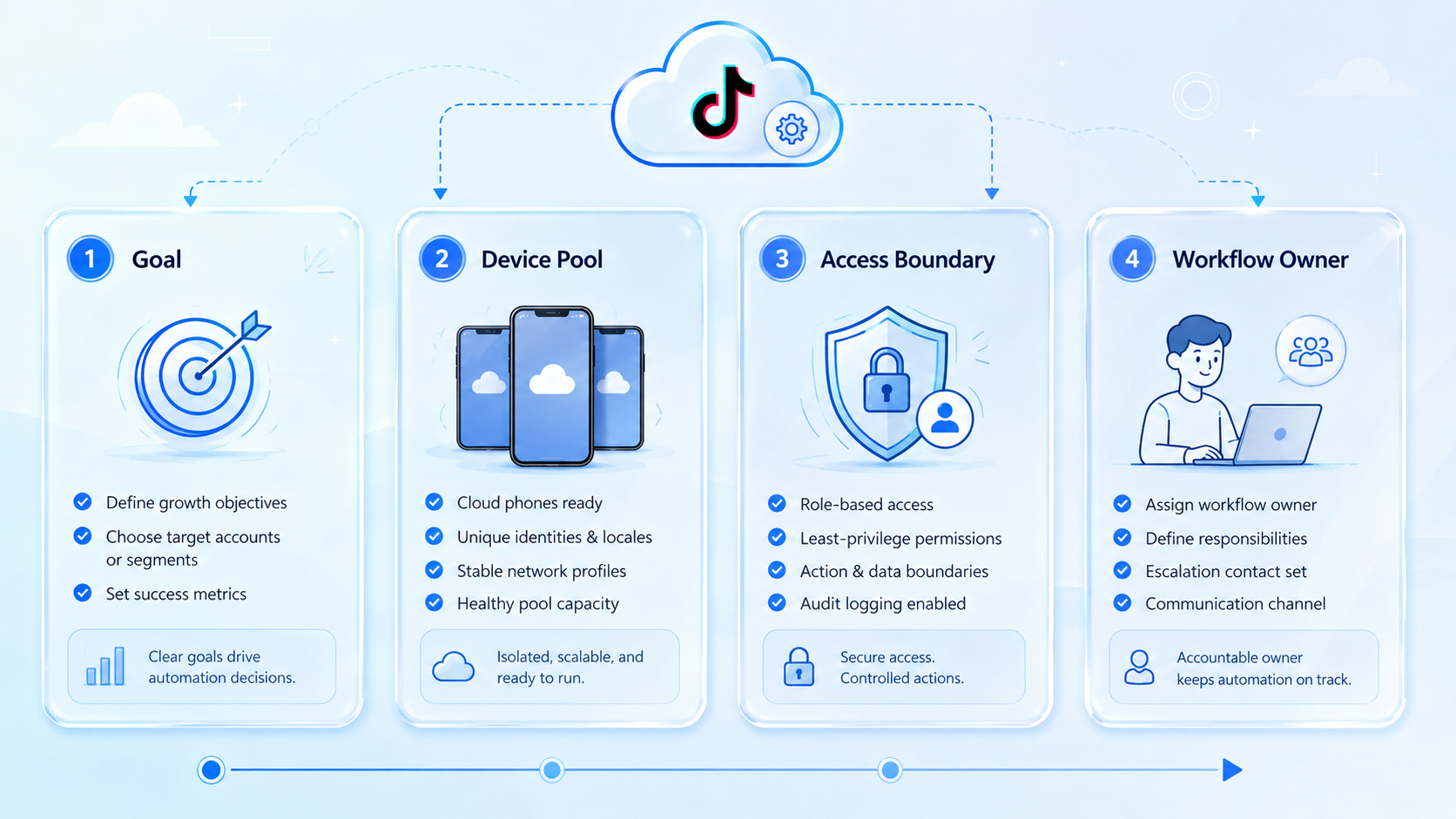
- Map the account pool. List each account, owner, purpose, region, and environment.
- Choose one repeated workflow. Pick a task that happens daily or weekly.
- Define the execution path. Decide whether it runs in a browser, cloud phone, or both.
- Set review rules. Keep human approval for captions, replies, and uncertain cases.
- Log results. Track completed tasks, failed tasks, skipped tasks, and reasons.
- Review after one cycle. Expand only when the workflow is predictable.
The pilot should produce a clear answer. Either the workflow saves operator time with acceptable control, or it reveals process gaps that need fixing first.
Common Mistakes to Avoid
Avoid starting with "automate everything." TikTok account work includes creative judgment, customer interaction, platform constraints, and operational execution. Those parts need different controls.
Avoid treating accounts as interchangeable. A brand account, creator account, test account, and regional account may need different approval paths. A shared task template can still respect those differences.
Respect official platform boundaries. TikTok's developer documentation defines specific integration flows for supported posting use cases. Teams should use official routes where they fit and avoid making unsupported claims about what automation can do.
Another mistake is weak recovery planning. If a task fails, the operator should know whether the issue was login state, environment assignment, missing asset, review delay, or page change.
Teams also confuse activity with progress. More checks, more drafts, and more account touches do not matter if the workflow creates review debt. The better measure is whether the team completes the right tasks with fewer handoff questions.
Keep the first pilot away from every-role dependency. If strategist, operator, reviewer, and analyst all need to change their process on day one, the test becomes hard to read. Begin with one operator and one reviewer.
Who It Fits and When It Is a Strong Match
The workflow fits teams with repeated operations across multiple accounts. Agencies, cross-border sellers, social commerce teams, and creator operations groups often face this pattern.
It is a strong match when the team has SOPs. If a person can describe the exact task path, it is easier to automate the repeated parts. If the process changes every day, automation should wait.
The fit is weaker for one creator managing one account. A simple content calendar may be enough. It is also weak for sensitive customer conversations where every reply needs judgment.
Team shape matters. A useful setup usually has an account owner, an operator, a reviewer, and a manager who reads performance reports. One person can hold more than one role, but the roles should still be named.
For growth teams, the strongest signal is repeated account work that can be described before execution. If the team can write the task in five checkpoints, automation may help. If the task depends on fresh creative judgment every time, the workflow should stay human-led.
Moimobi is most relevant when the account pool needs both mobile execution and clean separation. A team that only needs one scheduler may not need an execution platform. A team coordinating TikTok accounts, mobile environments, review queues, and reporting probably does.
Pilot Rollout, Measurement, and Recovery Checks
Measure the pilot like an operations workflow, not a growth hack. The goal is not only more activity. The goal is more reliable execution with less manual confusion.
Track these fields:
- Account ID or account name.
- Environment used.
- Task type.
- Start and finish time.
- Result.
- Failure reason.
- Reviewer decision.
- Follow-up owner.
This data gives the team a real operating picture. If completion rate is high but review time rises, the workflow may need better draft quality. If failures cluster around login state, environment ownership needs cleanup.
Recovery checks should happen weekly during the pilot. Review the failed tasks, update the SOP, and decide whether to expand, pause, or narrow the workflow.
Use one stop rule. For example, pause expansion if the same failure reason appears three times in one week. That rule keeps the team from scaling a broken step. It also forces better root-cause notes.
A strong pilot ends with a decision. Keep the workflow, revise it, or retire it. Do not let unfinished automation sit in the background, because stale workflows become harder to audit later.
Reporting Fields Growth Teams Should Keep
Reporting should connect daily execution with campaign learning. A completed task is useful, but the team also needs to know whether it supported the campaign.
Keep a simple report with three layers. The first layer is account health: account, owner, environment, active workflow, and blockers. The second layer is task output: posts checked, comments collected, drafts prepared, and reports updated. The third layer is decision support: what changed, what needs review, and what to test next.
This reporting structure prevents a common problem. Teams may celebrate activity while missing unresolved issues. A clear report shows whether automation improved throughput, review quality, and recovery speed.
Frequently Asked Questions
Can TikTok account management automation publish videos?
It can support publishing workflows when the account path, assets, review rules, and platform method are defined. Public publishing should keep approval checks.
Is a cloud phone required for TikTok workflows?
Not for every task. It is useful when the workflow depends on the mobile app or account-specific mobile state.
What should a growth team automate first?
Start with status checks, report collection, comment collection for review, or asset organization. These are easier to validate.
Can automation manage comments?
It can collect, categorize, and draft responses. Human review is recommended before public replies in brand or customer contexts.
How many accounts should be in the first pilot?
Use a small set. Three to five accounts can expose workflow issues without creating too much noise.
How does Moimobi help?
Moimobi provides account workspaces, cloud phones, mobile automation, and isolation layers for repeated TikTok operations.
What is the main risk?
The main operational risk is poor process design. Automation without ownership, review, and failure logging creates confusion.
When should teams avoid automation?
Avoid it for crisis response, sensitive support, unclear creative decisions, or workflows that lack repeatable steps.
Conclusion
This automation model works when it is built as an operating system. Account ownership, environment assignment, task queues, review gates, and reporting matter more than raw action volume.
Start with one repeated workflow. Run it across a small account set. Measure completion, review time, and failure reasons. Then decide whether the team is ready to expand.
Moimobi is strongest when TikTok work needs real mobile execution, account separation, and repeatable task control.



